Gearjury may earn a commission from qualifying retailer links. This does not alter our technical guidance.
Guide
How to Keep a Dash Cam Recording When the Car Is Off
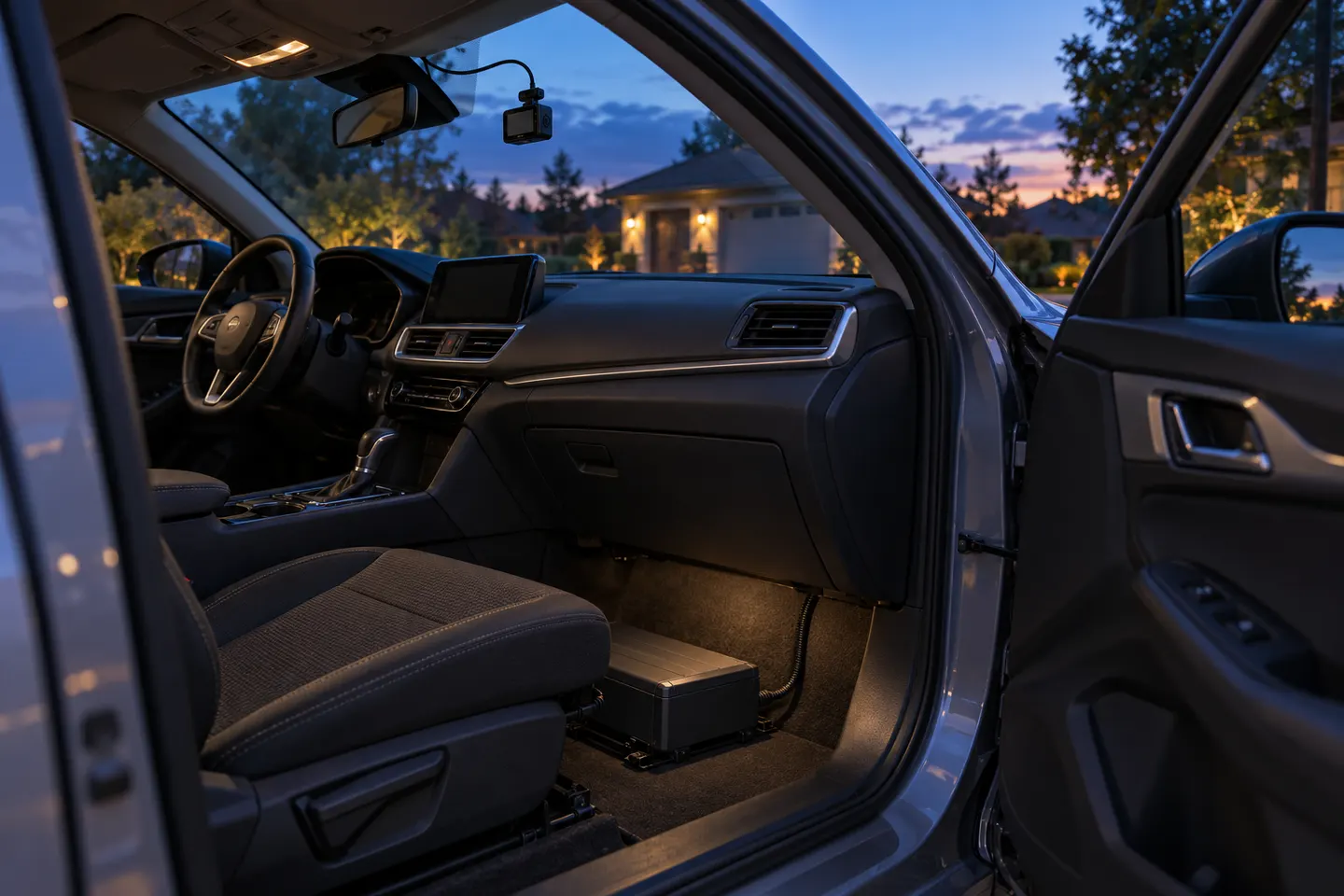
A dash cam can monitor a parked car only if the model supports parking mode and still receives suitable power. The usual choices are a hardwire kit, a compatible OBD cable or a dedicated dash cam battery pack.
GGearjury editorial team · Updated October 15, 2026· 7 min
01
Can a dash cam record when the car is off?
Yes, but the camera needs both a parking mode and a power source that remains available after ignition shutdown. A normal accessory socket often switches off, while the small internal battery or supercapacitor in a dash cam is not intended to power long surveillance sessions.
02
Choose hardwire, OBD or a dedicated battery pack
A compatible hardwire kit uses constant power, accessory status and ground so the camera can change modes with the ignition. Some cameras support an OBD parking cable. A purpose-built dash cam battery pack charges while driving and reduces reliance on the starter battery, but compatibility and installation still matter.
03
Set low-voltage and timer protection
Follow the camera and vehicle guidance for cutoff settings. A reputable hardwire setup can stop drawing power at a configured voltage or time, yet an aging battery, cold weather and short trips can reduce the available reserve. Do not disable protection simply to extend recording.
04
Pick the parking recording mode
Buffered event recording can preserve moments before a detected impact or motion event. Time-lapse records continuously at a reduced frame rate, while low-bitrate modes keep conventional video with smaller files. Low-power radar or impact modes may run longer but can capture less continuous context.
05
Configure dash cam 24/7 recording when car is off
True continuous coverage needs enough power and storage, and it creates more heat and card writes than event-only monitoring. Confirm the camera's supported mode, use approved high-endurance storage and understand that voltage cutoff or thermal protection may stop recording before the car is used again.
06
Verify the installation before relying on it
Turn the ignition off, wait for the camera's documented transition and check that it announces or displays parking mode. Return later to confirm clips were created, then test normal driving mode. Inspect the card and power behavior periodically rather than assuming the system is active.
Common questions
Questions before you buy
Can a dash cam record 24/7 when the car is off?
Some models can use time-lapse or low-bitrate parking recording while external power is available. Runtime is limited by the power source, protection settings, storage, temperature and the camera's own safeguards.
Will parking mode drain the car battery?
It draws energy from whichever source powers it. A compatible hardwire kit with low-voltage cutoff reduces the risk, but battery age, weather and driving pattern still affect starting reserve.
Does a dash cam need to be hardwired for parking mode?
Often, but not always. Some systems support a model-specific OBD cable or dedicated battery pack; a basic accessory plug usually cannot signal ignition state after shutdown.
Does parking mode record continuously or only after an impact?
That depends on the selected mode. Cameras may offer impact, motion, buffered event, time-lapse, low-bitrate or radar-assisted recording, with different power and evidence tradeoffs.
How do I know parking mode is working?
Check the camera's shutdown transition, status message or app, then review actual parked clips after a controlled test. Repeat the check after firmware or wiring changes.
A front and rear dash cam records both directions and can provide context a single lens misses. Check the rear-camera cable route and simultaneous recording resolution before buying.
VIOFO A229 Pro 2CH is our broad recommendation for detailed front and rear coverage. Garmin Mini 3 favors discretion, while Garmin X310 is the sharper single-camera choice.
The A329S serves buyers seeking high-detail multichannel recording; A229 models cover more moderate dual-camera needs, while A119 Mini 2 is the compact front-only option.
Start with the coverage you need: front-only, front and rear, cabin or a wider multi-camera view. Then compare recording detail, storage and power requirements.
Your privacy
We use cookies and similar technologies. Necessary ones keep the site working. With your permission we also use statistics cookies (Google Analytics and Microsoft Clarity) to understand which guides help readers. You can accept all, reject all or choose. You can change your choice at any time from "Cookie settings" at the bottom of every page. Cookie policy