Gearjury may earn a commission when you buy through a retailer link. Installation advice follows the cited guidance and manufacturer instructions.
Guide
Dash Cam: How to Install One in Your Car
Mount the camera high without blocking your view, route its cable away from airbags and controls, then format the card and confirm the recorded angle.
GGearjury editorial team · Updated 15 October 2026· 7 min
01
Choose a clear and lawful mounting position
Sit in the normal driving position and place the camera high on the windscreen, commonly behind or close to the rear-view mirror, without obstructing your view. Check the rules in your state or territory and make sure the lens sees the road rather than a large area of bonnet or sky.
02
Clean the glass and attach the mount
Clean and dry the mounting area, then fit the adhesive or suction mount exactly as the maker directs. Leave room to remove the memory card and camera, and confirm that wipers clear the lens area.
03
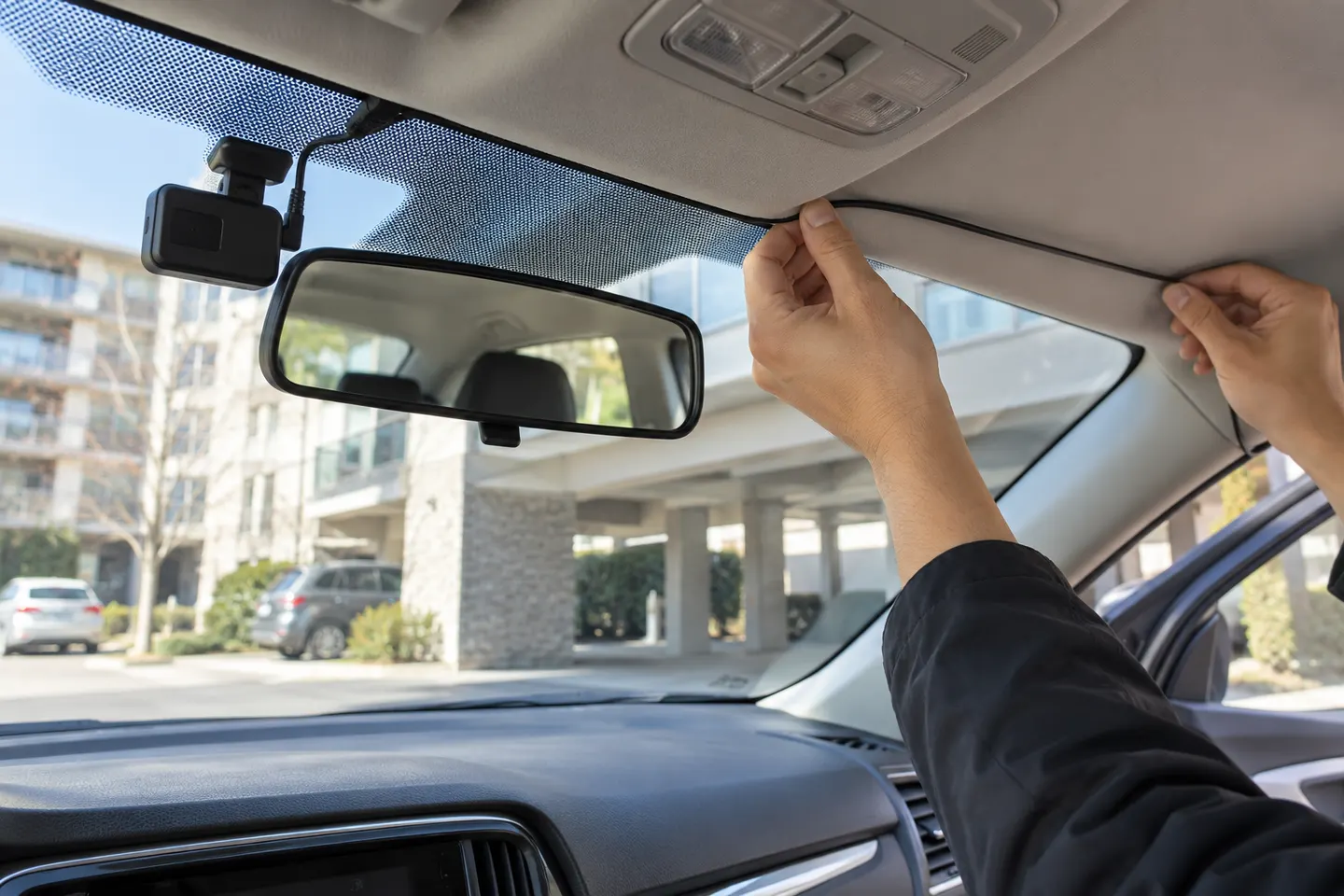
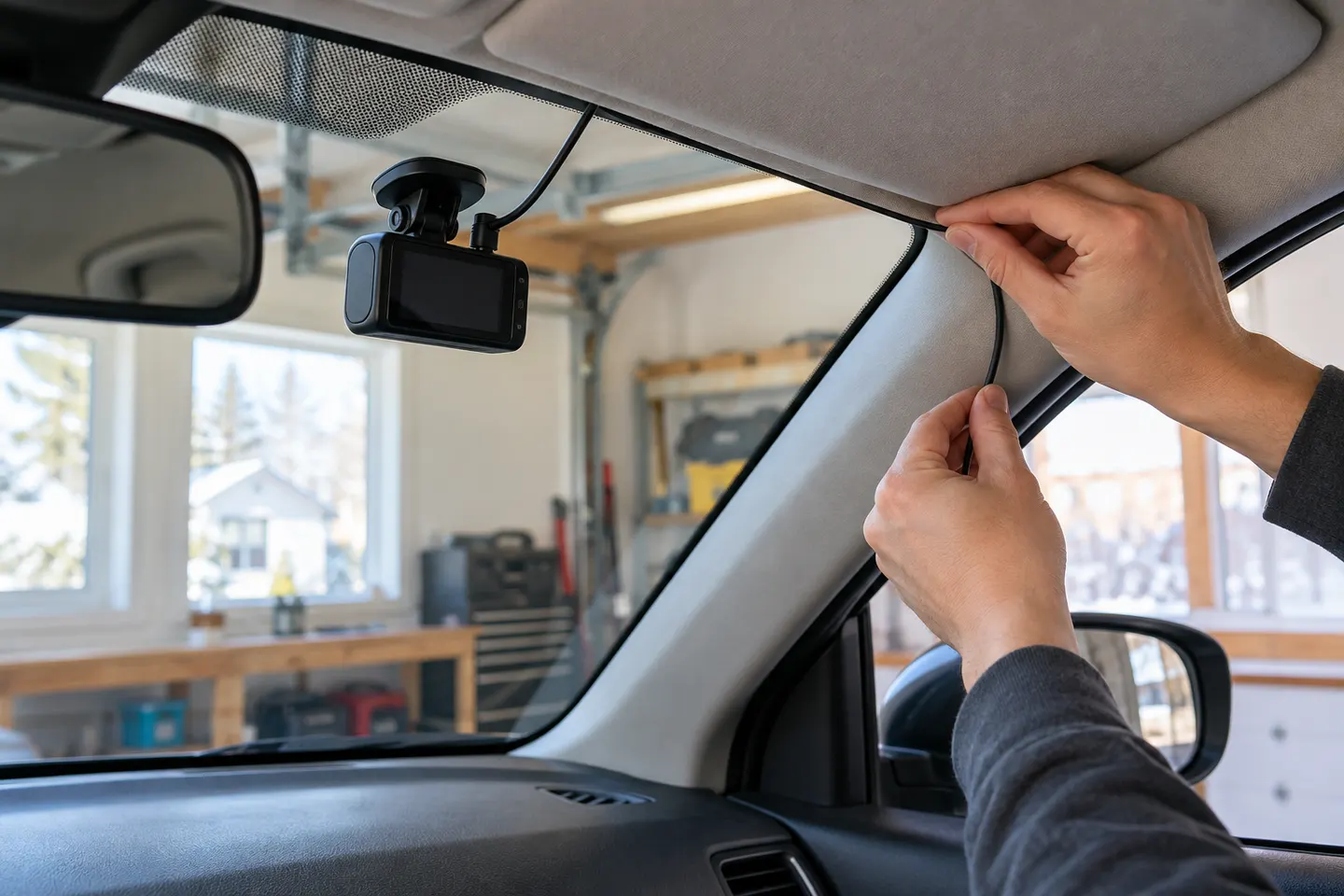
How do you hide dashcam wires?
Run the power lead along the headliner edge and trim without placing it over or through an airbag deployment path. Keep it clear of pedals, steering components and seat runners. If trim removal is needed, consult the vehicle manual or use a professional installer.
04
Connect accessory power or arrange hardwiring
For a basic install, connect the supplied adaptor to the specified vehicle socket. Parking mode usually needs compatible permanent power with low-voltage protection; fuse-box or OBD work should follow both vehicle and camera instructions.
05
Install and align a rear camera
Route the rear cable safely to the back window and preserve curtain-airbag clearance. Centre the view where practical, keep demister lines and moving hatch joints in mind, and allow enough slack only where the manufacturer specifies.
06
Format storage and connect the app
Use a high-endurance card of a capacity and speed supported by the camera, then format it in the device. For a Thinkware dashcam, use the compatible Thinkware app and the pairing steps for that model; other brands require their own software.
07
Check recording before the first trip
Set the date, time zone, audio preference, G-sensor and loop length. Record a short stationary clip, review both channels, and check again after a brief drive to confirm that vibration has not shifted the mount.
Common questions
Questions before you buy
How do you hide dashcam wires without affecting airbags?
Follow the vehicle manual to identify airbag deployment zones and keep the cable outside them. Do not simply push a lead behind an A-pillar trim that contains a curtain airbag.
How many GB does a dashcam need?
Capacity depends on channel count, resolution, bitrate and desired history. Choose a high-endurance card within the camera's published capacity limit and let loop recording manage space.
How do you connect to a Thinkware dashcam?
Install the app named for the exact Thinkware model, enable the required phone connections and follow the camera's pairing prompt. Supported apps differ across generations.
How do you use Tesla Dashcam?
Tesla's built-in Dashcam uses a correctly formatted USB drive and the vehicle touchscreen controls. Follow the current owner manual for the specific vehicle software.
How do you turn on Dashcam in a Tesla Model Y?
With compatible storage connected, use the Dashcam control in the vehicle interface and select the required recording behaviour. Menu labels can change with software updates, so check the current Model Y manual.
How do you activate the Mercedes-Benz Dashcam?
Availability depends on the vehicle, equipment and market. Use the Mercedes-Benz multimedia system and the instructions for the exact model; some vehicles may require activation or compatible storage.
Start with the coverage you need: front-only for simplicity, front-rear for broader evidence, or a dedicated motorcycle system. Then decide how you will power it.
A two-channel system is the clearest choice when you want evidence from both directions. Prioritise rear-camera quality, cable length and an installation that keeps the driver's view clear.
A plug-in installation suits basic driving recording; professional hardwiring is the safer route for neat cabling and parking mode. Keep every camera and cable clear of vision and airbags.
Your privacy
We use cookies and similar technologies. Necessary ones keep the site working. With your permission we also use statistics cookies (Google Analytics and Microsoft Clarity) to understand which guides help readers. You can accept all, reject all or choose. You can change your choice at any time from "Cookie settings" at the bottom of every page. Cookie policy