Gearjury may earn a commission when you buy through retailer links.
Guide
What Is the Difference Between a WiFi Booster and Extender?
Usually, there is no meaningful hardware distinction: booster, extender, and repeater are often labels for a device that receives WiFi and rebroadcasts it. Check the product’s actual mode and features before buying.
GGearjury editorial team · Updated October 18, 2026· 4 min
01
The difference between a WiFi booster and extender
In consumer listings, WiFi booster and WiFi extender commonly describe the same class of device. A range extender receives an existing wireless network and rebroadcasts it from another position; “booster” is an informal label and does not guarantee a particular technology.
02
WiFi repeater versus booster
A repeater describes the relay function: it listens to a router or access point and repeats the connection. Booster is less precise, so read the specification for repeater, range-extender, access-point, or mesh modes rather than relying on the product name.
03
How a range extender affects coverage and speed
An extender can make a usable signal available farther from the router, but it cannot create a faster internet connection than its upstream link provides. Placement matters: put it where the router signal is still dependable and where the additional coverage is needed.
04
When an access point or mesh system may suit better
If you can run Ethernet to the weak-coverage area, an access point avoids relying on a wireless backhaul. A compatible mesh system can coordinate nodes and roaming, while a basic extender may appear as a separate network; verify compatibility and roaming behavior for your equipment.
05
What to check before choosing a WiFi extender
Confirm the supported WiFi generation and bands, router compatibility, Ethernet and access-point options, and whether the unit uses a separate network name. TP-Link’s RE550, for example, is listed by its manufacturer as a dual-band AC1900 range extender with three adjustable external antennas and an access-point mode; those stated features do not guarantee a particular result in your home.
Common questions
Questions before you buy
Is a WiFi booster the same as a WiFi extender?
Often, yes. “Booster” is a broad marketing term commonly used for a range extender that receives and rebroadcasts the router’s WiFi; check the listed operating mode to be sure.
What is the difference between a WiFi repeater and a booster?
Repeater describes relaying a wireless signal, while booster is an informal label. Many products use the terms for the same kind of extender, but the name alone does not identify its features.
Does a WiFi extender increase internet speed?
It can improve the connection available in a weak-coverage spot, but it does not raise the speed supplied by your internet plan. The extender’s link to the router and local interference can limit throughput.
Should I choose an extender, access point, or mesh system?
Choose an extender for a convenient wireless relay, an access point when you can connect Ethernet, or mesh when you want coordinated nodes and compatible roaming. Check the router and device features before deciding.
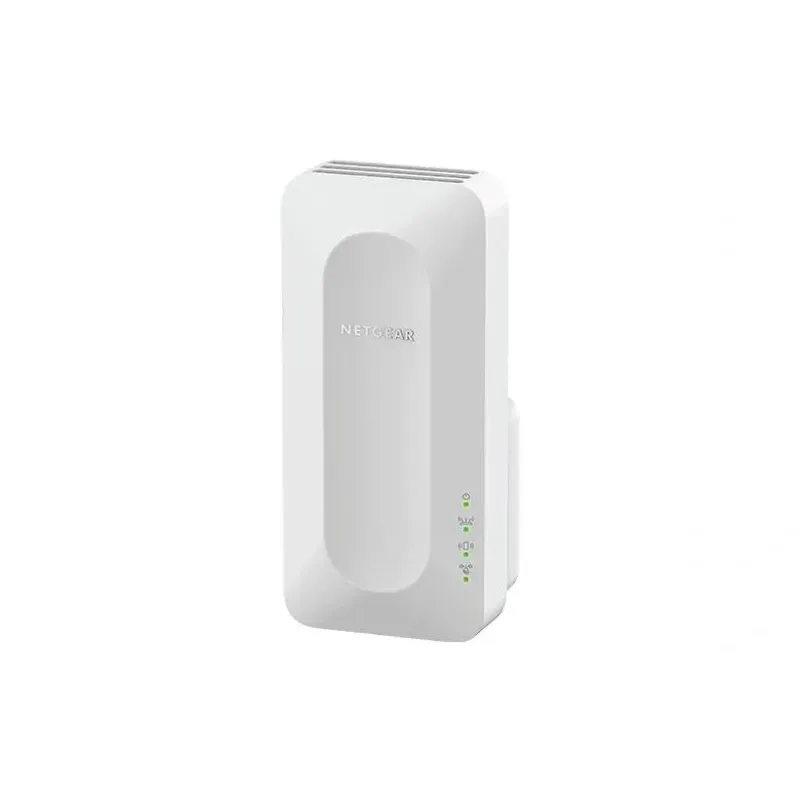
For a versatile WiFi 6 choice, consider TP-Link RE705X, which pairs dual-band WiFi 6 with a Gigabit Ethernet port. NETGEAR EAX15 suits an existing NETGEAR mesh setup, while TP-Link RE550 and NETGEAR EX6120 offer different WiFi 5 feature sets.
A WiFi extender can carry a router's signal into a nearby weak-signal area. Start by checking compatibility, placement and whether a wireless repeater or wired access point fits your home.
Your privacy
We use cookies and similar technologies. Necessary ones keep the site working. With your permission we also use statistics cookies (Google Analytics and Microsoft Clarity) to understand which guides help readers. You can accept all, reject all or choose. You can change your choice at any time from "Cookie settings" at the bottom of every page. Cookie policy