Gearjury may earn a commission when you buy through retailer links. This does not affect our editorial choices.
Guide
How Far Will a Wi-Fi Extender Reach in Real Homes?
There is no reliable universal distance: usable reach depends on the extender?s link to the router, walls, interference and the devices connecting to it.
GGearjury editorial team · Updated October 15, 2026· 5 min
01
Why there is no single reach figure
A Wi-Fi extender has to receive the router?s signal and then deliver a usable signal to a client. A product?s class or advertised coverage area cannot account for every floor plan, wall material, neighboring network or device antenna.
02
The router link sets the starting point
An extender cannot pass on a reliable connection if its own connection to the router is weak. Place it where the router still reaches it well, then let the extender carry coverage onward.
03
Walls and interference change the result
Dense construction, metal, appliances and neighboring Wi-Fi networks can weaken or disrupt radio links. A shorter open route may work better than a nominally closer route through several obstructions.
04
Use bands with their trade-offs in mind
Lower-frequency Wi-Fi bands often travel through obstacles more readily, while higher bands can offer more capacity under suitable conditions. Extender and client support, channel congestion and the router backhaul all affect the result.
05
Place and test rather than guessing
Start in an outlet between the router and the target location. Check the manufacturer?s signal indicator or app, then test the actual devices and tasks in the area. Move the unit incrementally if its router link is poor.
06
When a cable or access point makes sense
For an outbuilding, multiple barriers or a fixed high-demand device, Ethernet to an access point or a purpose-built point-to-point link may be more dependable. Use outdoor-rated equipment where the installation is exposed.
Common questions
Questions before you buy
How far will a Wi-Fi extender reach?
The usable distance varies by the extender, router signal, building materials, interference and client device. Treat manufacturer coverage figures as estimates for stated conditions, not a guarantee for your home.
How far will a Wi-Fi booster reach outside?
A standard indoor extender is not designed for exposed outdoor installation. For a yard or outbuilding, check outdoor-rated access points or bridge equipment and plan a clear, reliable link.
Will a signal booster improve Wi-Fi?
It can improve local coverage when it receives a good signal from the router and is placed toward the weak area. It will not increase the broadband speed supplied to the home.
Can one extender cover a whole house?
That depends on the home?s size, layout and construction. A single extender is generally intended to address a local gap; larger or multi-floor homes may need a wired access point or mesh system.
A WiFi extender can carry a router's signal into a nearby weak-signal area. Start by checking compatibility, placement and whether a wireless repeater or wired access point fits your home.
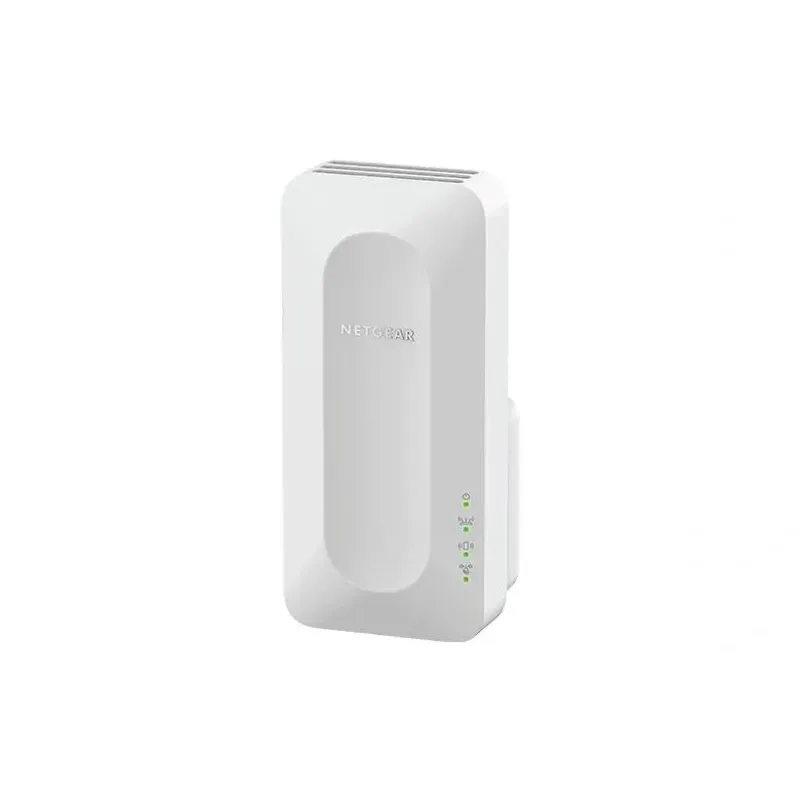
For a versatile WiFi 6 choice, consider TP-Link RE705X, which pairs dual-band WiFi 6 with a Gigabit Ethernet port. NETGEAR EAX15 suits an existing NETGEAR mesh setup, while TP-Link RE550 and NETGEAR EX6120 offer different WiFi 5 feature sets.
TP-Link offers WiFi 6 and WiFi 5 extenders with different port and mesh features. Check hardware version and router compatibility before choosing.
Your privacy
We use cookies and similar technologies. Necessary ones keep the site working. With your permission we also use statistics cookies (Google Analytics and Microsoft Clarity) to understand which guides help readers. You can accept all, reject all or choose. You can change your choice at any time from "Cookie settings" at the bottom of every page. Cookie policy