




Independent buying guidance · US editionHow we work
Gearjury
All categories
United StatesEnglish

Gearjury may earn a commission from qualifying purchases made through retailer links.

Guide

How to Setup a Verizon WiFi Extender with Your Gateway

For a Verizon E3200, pair it beside a compatible gateway first, then move it between the gateway and the weak-coverage area. Check the model and light pattern in Verizon’s current instructions before you begin.

How to Setup a Verizon WiFi Extender with Your Gateway
01

Check which Verizon extender and gateway you have

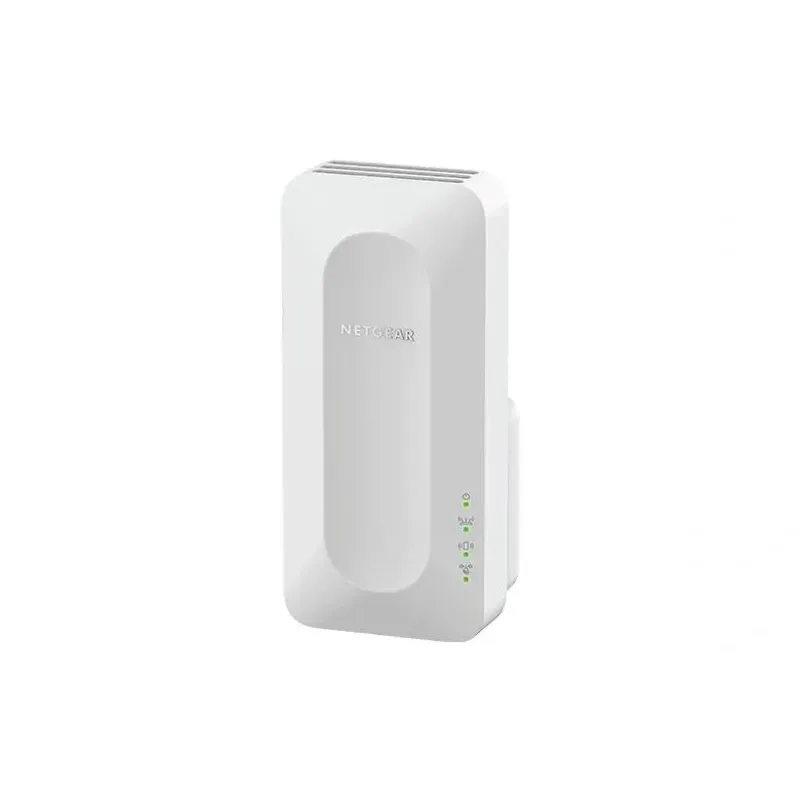
Verizon sells and supports different extender families. This walkthrough focuses on the E3200; Verizon lists compatible 5G Home Internet gateways for that model and notes an incompatible gateway. Confirm your hardware on the E3200 support page rather than assuming every Verizon-branded extender pairs the same way.

02

Start next to the gateway

Make sure the gateway is online, then plug the E3200 into an outlet nearby. Wait for the status light described in Verizon’s setup instructions before pairing. Starting close reduces the chance that a weak link interrupts initial setup.

03

Pair the E3200 wirelessly

Hold the extender’s Unified button for three seconds, then press the gateway’s Pair button within two minutes. The devices blink blue during pairing. Verizon says a solid white or blinking yellow light indicates pairing; allow the device to finish before moving it.

04

Use Ethernet if you prefer a wired connection

Connect the extender to the gateway with an Ethernet cable, power it on and follow the same status-light guidance. A wired backhaul can avoid relying on the wireless link between the two devices, provided the cable reaches the chosen location.

05

Move it toward the weak-signal area

Unplug the paired unit and place it between the gateway and the area that needs coverage, where it can still receive a good signal. Verizon’s E3200 guide says a fast-blinking yellow light calls for moving it farther away; a slow-blinking yellow light calls for moving it closer. A solid white light indicates setup is complete.

06

If pairing fails

Recheck gateway compatibility and restart setup near the gateway. Confirm that both devices have completed startup and follow the light meanings in the model-specific instructions. For ongoing coverage issues, use Verizon’s Wi-Fi Health Check where supported or reposition the extender.

Common questions

Questions before you buy

How do I pair a Verizon E3200 WiFi extender?

Plug it in near a compatible Verizon gateway, hold the E3200 Unified button for three seconds, then press the gateway Pair button within two minutes. Wait for the status light to show pairing is complete before relocating it.

Where should I place a Verizon WiFi extender after setup?

Place it between the gateway and the weak-coverage area, while keeping it within reliable range of the gateway. Use the E3200 light pattern as a placement cue.

Can I connect a Verizon WiFi extender with Ethernet?

Verizon’s E3200 instructions include wired pairing: connect its Ethernet port to the router or gateway, then power it on and follow the status lights.

Does the Verizon E3200 work with every Verizon gateway?

No. Verizon lists specific compatible gateway models and identifies at least one gateway that is not compatible. Check the current E3200 FAQ against your gateway model before setup.

Sources and how we chose
