Gearjury may earn a commission from qualifying purchases made through retailer links.
Guide
How to Install a WiFi Extender for Better Home Coverage
Install a WiFi extender by pairing it with your router first, then placing it where the router signal remains usable and the weak area is within reach. Follow your model guide for the exact controls and indicators.
GGearjury editorial team · Updated October 18, 2026· 5 min
01
Find a location with a usable router signal
Before installation, check the WiFi signal between the router and the room you want to reach. Choose an outlet on that path rather than at the far edge of the dead zone. Thick walls, floors and appliances can affect the link.
02
Power the extender near the router for setup
Plug in the extender close to the router while pairing. This keeps the initial connection straightforward and lets you confirm setup before moving the unit. Use the included adapter and follow ventilation and safety guidance.
03
Pair by WPS, app or browser
Use WPS if both devices support it and the extender guide provides that method. Otherwise follow the manufacturer app or browser steps, select the home network and enter its password. Setup screens and button timing differ among models.
04
Move the extender to its working position
Once connected, move it to the chosen midway outlet. Let it reconnect and check the signal indicator or app. If the router-side signal is weak, move closer to the router; if the target area remains weak, adjust toward that area while retaining a stable connection.
05
Test the extended network where you need it
Connect a phone or laptop in the problem room and try the activities that matter there. Compare connection stability as well as signal bars. A range extender repeats the router connection, so its performance depends on the source signal and local conditions.
06
Troubleshoot setup and coverage
If the extender will not join, recheck the network password and try setup closer to the router. If coverage is still poor, change placement and check for firmware or compatibility guidance from the manufacturer. Avoid placing an indoor model outdoors or inside a closed cabinet.
Common questions
Questions before you buy
How far from the router should I install a WiFi extender?
There is no single distance that works for every home. Place it where it still receives a reliable router signal while being close enough to the weak area; use the extender indicators and test the result.
Should I install a WiFi extender in the dead zone?
Usually not. It needs a usable connection back to the router to relay WiFi, so start nearer the router and move outward until the signal indicator shows a suitable link.
Can I install a WiFi extender without a computer?
Often yes. Many current models support setup through a phone app or WPS, though available methods vary. Check the model quick-start guide before beginning.
Why is my WiFi extender connected but not improving coverage?
It may be too far from the router, poorly positioned for the target room, or affected by obstacles and interference. Try another outlet along the route and test the actual devices and tasks you need.
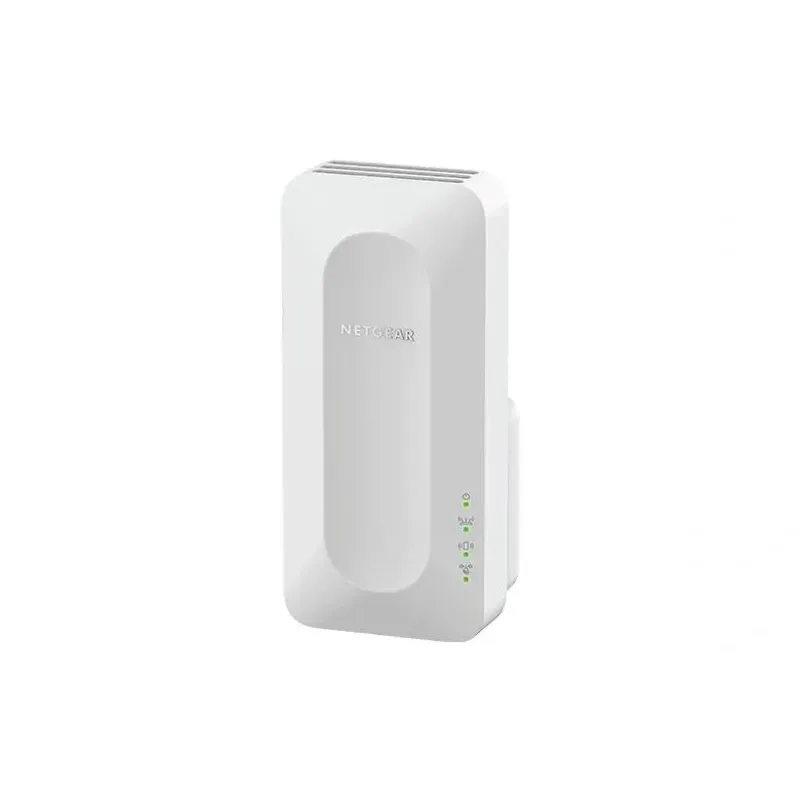
For a versatile WiFi 6 choice, consider TP-Link RE705X, which pairs dual-band WiFi 6 with a Gigabit Ethernet port. NETGEAR EAX15 suits an existing NETGEAR mesh setup, while TP-Link RE550 and NETGEAR EX6120 offer different WiFi 5 feature sets.
A WiFi extender can carry a router's signal into a nearby weak-signal area. Start by checking compatibility, placement and whether a wireless repeater or wired access point fits your home.
Your privacy
We use cookies and similar technologies. Necessary ones keep the site working. With your permission we also use statistics cookies (Google Analytics and Microsoft Clarity) to understand which guides help readers. You can accept all, reject all or choose. You can change your choice at any time from "Cookie settings" at the bottom of every page. Cookie policy