Gearjury may earn a commission from qualifying purchases made through retailer links.
Guide
How Does a WiFi Extender Work in Your Home?
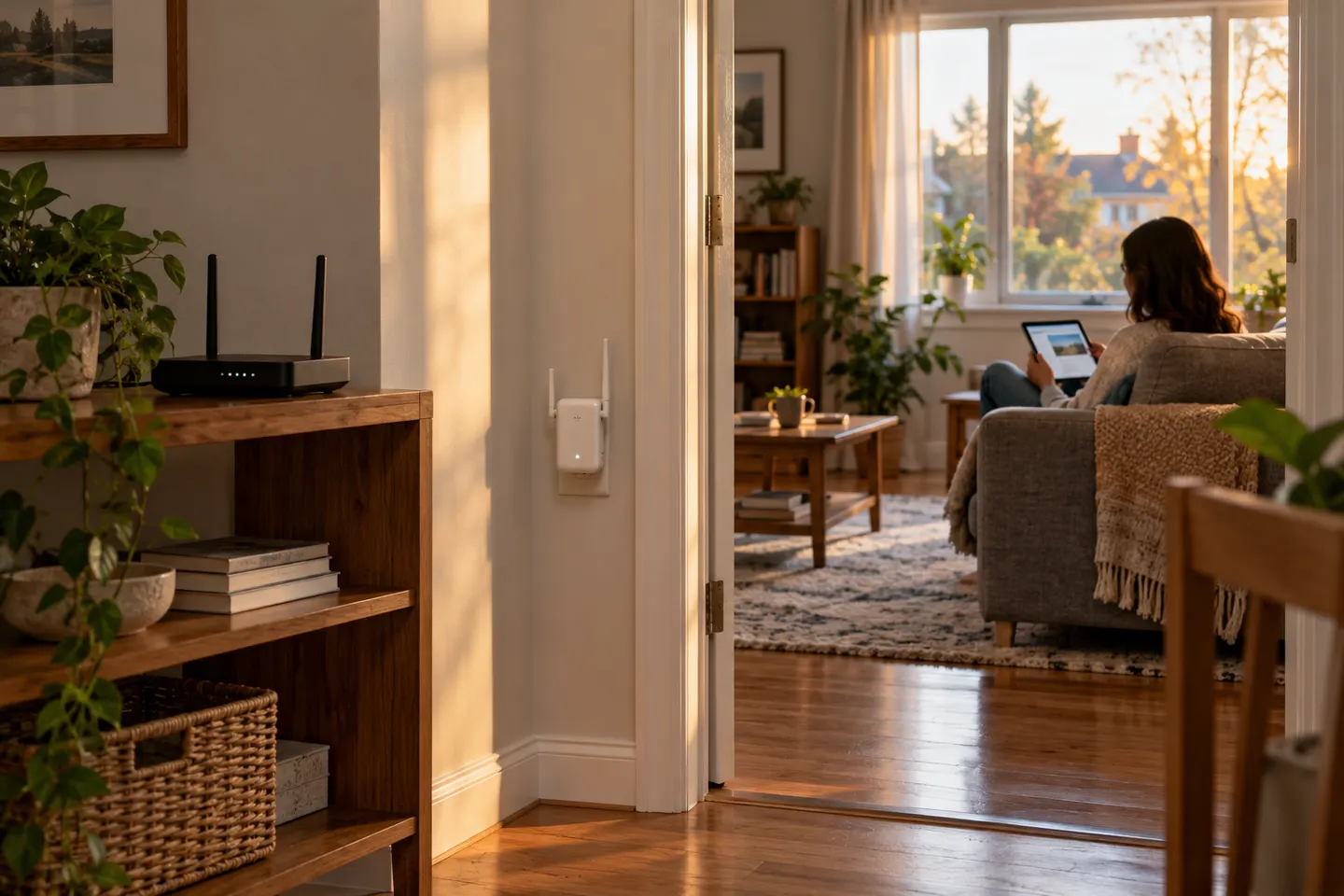
A WiFi extender receives a signal from your router and rebroadcasts it to reach areas with weaker coverage. Its position and the connection back to the router shape the result.
GGearjury editorial team · Updated October 18, 2026· 5 min
01
How a WiFi extender receives and repeats a signal
The extender links wirelessly to your router, then rebroadcasts network access from another location. It depends on the router’s signal reaching the extender, so it cannot create a strong connection where its own link is poor.
02
What people mean by a WiFi booster
“WiFi booster” is a broad label that can describe a range extender or a mesh system. Check the product type and how it connects to your router rather than relying on the word booster alone.
03
Where to place an extender
Start with an outlet between the router and the room with weak coverage, but still within reliable router range. Use the device’s signal indicator or management app to adjust placement.
04
Does an extender slow down internet?
It can reduce throughput compared with a direct router connection, depending on the extender design, wireless link quality, traffic and device capabilities. A poor placement can also limit performance.
05
Will a WiFi extender work with any router?
Compatibility depends on supported WiFi standards, security settings and any system-specific features. TP-Link says its RE315 supports common router connections, but verify the exact extender and router documentation.
06
Extenders, phone apps and cellular boosters are different
An extender needs a connection to a WiFi router or access point. A phone app cannot amplify radio coverage by itself, and a cellular signal booster addresses mobile network reception rather than extending home WiFi.
Common questions
Questions before you buy
Does a WiFi extender slow down internet?
It may lower available throughput versus connecting directly to the router, especially when the extender has a weak backhaul link or shares radio capacity. Actual results vary with placement, hardware and network use.
Does a TP-Link WiFi extender work with any router?
TP-Link describes its RE315 as connecting to a host router through app, browser or WPS setup. Check the model’s supported WiFi and security standards and your router settings for compatibility.
Does a WiFi booster work?
A correctly configured range extender can provide WiFi in an area beyond the router’s useful coverage, provided it receives a usable signal itself. Placement and the home layout matter.
Does a WiFi booster need to be connected to the router?
Yes. A typical WiFi extender must connect to the router’s network, wirelessly or through a supported wired access-point mode, to provide network access.
Do WiFi booster apps really work?
A phone app cannot increase WiFi radio power on its own. Router or extender apps can help configure devices and diagnose coverage, but they do not replace network hardware.
Does a cell phone booster work without WiFi?
A cellular booster works with a mobile carrier signal and does not require home WiFi, although it does need usable cellular signal to amplify. It is a different product from a WiFi extender.
The TP-Link RE705X is a strong feature-led starting point, with WiFi 6, AX3000 class and a Gigabit port. Consider NETGEAR EAX15 for mesh-style WiFi 6 or simpler plug-in models for a basic dead zone.
TP-Link’s Canadian range includes WiFi 7, WiFi 6 and older dual-band extenders. Match the model to your router, desired features and available placement.
A WiFi extender can carry an existing router’s signal into a weak-coverage area. Start with compatibility and placement, then compare a standalone repeater with a provider mesh system.
Your privacy
We use cookies and similar technologies. Necessary ones keep the site working. With your permission we also use statistics cookies (Google Analytics and Microsoft Clarity) to understand which guides help readers. You can accept all, reject all or choose. You can change your choice at any time from "Cookie settings" at the bottom of every page. Cookie policy