Gearjury may earn a commission from qualifying retailer links.
Guide
WiFi Extender: How Does It Work in Your Home?
A WiFi extender joins your existing wireless network and rebroadcasts connectivity from a new position. It can reach a dead zone when placed within a usable router signal, but it cannot create extra internet bandwidth.
GGearjury editorial team · Updated October 18, 2026· 5 min
01
The short answer: how a WiFi extender works
A WiFi extender connects to the router as a wireless client, then provides another access point for nearby devices. It receives network traffic over WiFi and sends it onward from its own location; the connection still depends on the router and internet service.
02
How the extender links to your router
During setup, the extender scans for nearby networks and you select the router’s WiFi name and enter its password. Compatible models can use WPS to exchange connection settings, while browser setup lets you choose the network manually.
03
How it rebroadcasts the signal
Once linked, the device advertises a WiFi network that phones, laptops and smart devices can join. The network may have a distinct extended SSID, or some models can be configured to use the same name as the router.
04
Why an extender cannot be placed in the dead zone
The extender needs a usable connection back to the router. If it sits where the router signal is already too weak, it has little reliable data to pass along. Start nearer the router, then move it toward the coverage gap while checking connection quality.
05
Does a WiFi extender make internet faster?
An extender can improve signal availability in a distant room, but it does not raise the speed delivered by your internet plan. Wireless repeating also uses airtime to communicate with the router and client devices, so throughput can be lower than a direct connection depending on equipment and conditions.
06
What happens when you walk around the house
With a separate extender network name, you may need to switch networks as you move between coverage areas. A shared name can simplify the network list, but roaming decisions depend on the client and network implementation; seamless handoff is not guaranteed by every extender.
07
How a WiFi booster differs in everyday use
WiFi booster is a broad consumer term often used for a range extender. Check what a product actually does: a wireless range extender joins the router over WiFi and rebroadcasts, while an access point typically uses a wired Ethernet connection to create WiFi farther away.
08
Extender, access point or mesh system?
Choose an extender for a limited coverage gap where you can position it within the existing signal. An access point suits a location with Ethernet backhaul. Mesh systems use coordinated nodes for broader home coverage, though features and roaming behavior vary by system.
09
Which WiFi bands can an extender use?
A dual-band unit can work with 2.4 GHz and 5 GHz networks when its model supports those bands. The lower band generally reaches farther through obstacles, while the higher band can offer more capacity at shorter range; performance depends on all devices and the environment.
10
What an extender cannot fix
It cannot repair an internet outage, remove congestion from a busy broadband connection or overcome every wall and interference source. If devices are slow beside the router too, investigate the service, router or local interference before adding a repeater.
11
How to tell whether placement is helping
Compare the connection in the target room before and after setup, using the same device and location. Look for stable access as well as usable performance; a stronger WiFi icon alone does not prove that the internet connection is faster.
12
When a WiFi extender is a sensible choice
It is most useful when the router provides a sound connection at a nearby outlet but coverage fades farther away. If the gap is large, several floors away, or needs consistent high throughput, a wired access point or suitable mesh system may fit better.
Common questions
Questions before you buy
How does a WiFi extender work?
It connects to your router’s WiFi and rebroadcasts network access from another location. It needs a usable router signal and does not increase the bandwidth coming from your internet provider.
How does a WiFi booster work?
The term often means a range extender: it receives the router’s WiFi and sends it out again for nearby devices. Check the product type, because an access point normally uses Ethernet backhaul instead.
Does a WiFi extender create a new network?
Often it broadcasts a separate network name, though some models support the same SSID as the router. The exact behavior depends on the model and settings.
Where should a WiFi extender be placed?
Put it between the router and weak-coverage area, where it can still maintain a reliable router connection. Moving it into the dead zone itself usually prevents it from relaying well.
Will an extender increase my internet speed?
It may improve access where the router signal was poor, but it cannot raise your broadband service speed. Wireless repeating can also reduce throughput compared with a direct connection.
A WiFi extender can carry a router's signal into a nearby weak-signal area. Start by checking compatibility, placement and whether a wireless repeater or wired access point fits your home.
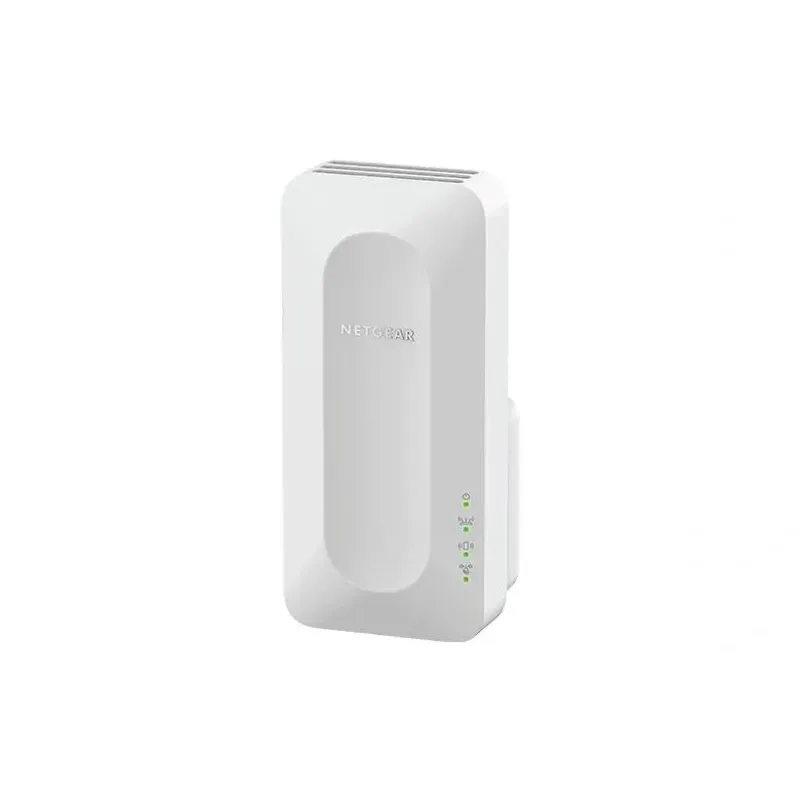
For a versatile WiFi 6 choice, consider TP-Link RE705X, which pairs dual-band WiFi 6 with a Gigabit Ethernet port. NETGEAR EAX15 suits an existing NETGEAR mesh setup, while TP-Link RE550 and NETGEAR EX6120 offer different WiFi 5 feature sets.
NETGEAR sells plug-in extenders across WiFi generations. Compare exact model features and check whether mesh behavior suits your router.
Your privacy
We use cookies and similar technologies. Necessary ones keep the site working. With your permission we also use statistics cookies (Google Analytics and Microsoft Clarity) to understand which guides help readers. You can accept all, reject all or choose. You can change your choice at any time from "Cookie settings" at the bottom of every page. Cookie policy