Gearjury may earn a commission from retailer links. This does not affect our editorial explanations.
Guide
WiFi Booster: How Does It Work to Extend Your Home Network?
A WiFi booster, often sold as a range extender, receives your router’s wireless signal and rebroadcasts it to reach a wider area. It can help with weak coverage, but it cannot improve a poor broadband connection or create signal from nowhere.
GGearjury editorial team · Updated 18 October 2026· 4 min
01
How does a WiFi booster work?
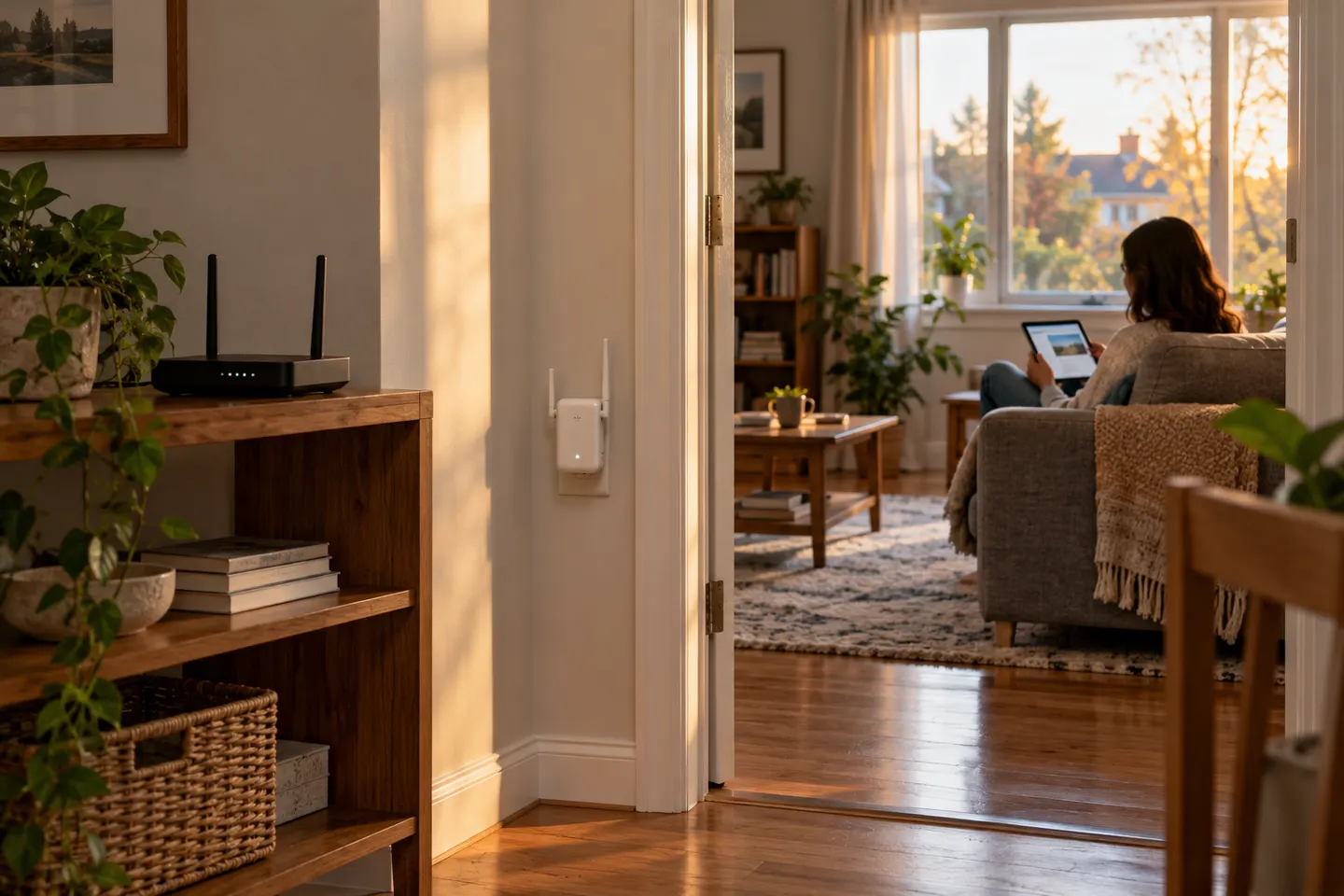
A wireless extender links to your existing router over WiFi, then broadcasts a network signal from its own position. Devices in a distant room can connect through it, with the router still providing the internet connection. The phrase WiFi booster usually refers to this kind of range extender.
02
How does a WiFi extender work with your router?
During setup, the extender joins the router’s network using its WiFi name and password or a supported pairing method. Depending on the model and router, it may use the same network name or create a name with an extender suffix. Compatibility and roaming behaviour vary, so check the product manual.
03
What a signal booster can and cannot change
An extender can make a usable router signal available in a spot where coverage is weak. It does not increase the speed supplied by your broadband plan, repair an unreliable router connection or guarantee the same performance as a direct router connection. The wireless link between router and extender also uses network capacity.
04
Where should you place a WiFi range extender?
Place it where it still receives a stable signal from the router, on the way to the area you want to cover. A midway point is a useful starting point, but walls, floors and interference change the result. Use the device’s signal indicator or app and move it if the link to the router is weak.
05
How does a WiFi booster work during setup?
Most models offer a guided app or browser setup; some also support WPS pairing. The exact buttons and screens depend on the model. Set the extender up near the router first, confirm that it has joined the network, then relocate it and check its connection before connecting devices.
06
When is a mesh system a better fit?
A single extender can suit one coverage gap. If you need several access points across a larger home or want devices to roam between coordinated nodes, compare a mesh WiFi system. Check compatibility with your router and whether replacing or adding equipment is practical.
Common questions
Questions before you buy
How does a WiFi booster work?
It connects to your router’s WiFi and rebroadcasts a signal from another location. Your devices then use that extended network to reach the router and internet.
How does a WiFi extender work in a dead zone?
It must receive a usable signal from the router before it can relay one, so place it between the router and the dead zone rather than in the area with no signal at all.
Does a WiFi signal booster make broadband faster?
It can improve coverage where the router signal is weak, but it does not raise the speed delivered by your broadband service. Actual performance depends on the router link, extender and local conditions.
Should a WiFi extender use the same network name?
That depends on the model and router. Some support a shared network name or mesh features; others create a separate extended network. Check the manufacturer’s compatibility and setup guidance.
TP-Link RE315 is a practical starting point for a standard indoor dead zone. Consider a Wi-Fi 6 device for newer kit, outdoor-rated hardware for a garden, or powerline where a wireless hop struggles.
Sky has different booster products for different broadband generations. Sky Max customers may use a Max Pod; check your account and hub-specific help before seeking a third-party extender.
A WiFi extender can carry your router signal further, but placement and backhaul matter. Choose a plug-in repeater for a nearby dead zone, powerline WiFi for difficult layouts, or an outdoor-rated unit for a garden.
Your privacy
We use cookies and similar technologies. Necessary ones keep the site working. With your permission we also use statistics cookies (Google Analytics and Microsoft Clarity) to understand which guides help readers. You can accept all, reject all or choose. You can change your choice at any time from "Cookie settings" at the bottom of every page. Cookie policy