The extender joins the existing WiFi
During setup, it connects to the router wireless network using the supported band and security settings. This upstream connection is often called the backhaul.

 Best picksBest WiFi Extenders: Which Range Extender Should You Buy?
 Best picksGood Meat Thermometers for Every Kind of Cook
 Best picksBest Dash Cams for Cars in 2026
 Best picksBest Air Purifier for Bedroom in the US: Quiet Models Compared
Gearjury may earn a commission from qualifying purchases made through retailer links.
Guide
A WiFi extender links to your router and rebroadcasts network access from another spot. Its placement must balance a stable router link with reach to the weak area.
During setup, it connects to the router wireless network using the supported band and security settings. This upstream connection is often called the backhaul.
Devices nearby can connect to the extender signal instead of communicating directly with a distant router. Network names and roaming behavior depend on configuration.
If the extender receives a weak or unstable signal, it has little useful connectivity to pass on. Place it where the router signal remains dependable.
Building materials, neighboring networks and device radios affect the link. Advertised link classes describe theoretical capability rather than a guaranteed household speed.
In everyday shopping, WiFi booster often describes a range extender. Mesh systems use multiple coordinated nodes and may be a better fit for several coverage gaps.
Common questions
A booster commonly refers to an extender that receives WiFi from a router and rebroadcasts it into another area.
Connect your device to the extender network or supported shared network name, then check the signal in the room you wanted to cover.
WiFi can pass through some walls, but materials and distance reduce signal differently. Place the unit where its upstream connection remains stable.
Most home range extenders connect wirelessly to the router; some also offer Ethernet or access-point modes. Check the model features.
Keep exploring
For a versatile WiFi 6 choice, consider TP-Link RE705X, which pairs dual-band WiFi 6 with a Gigabit Ethernet port. NETGEAR EAX15 suits an existing NETGEAR mesh setup, while TP-Link RE550 and NETGEAR EX6120 offer different WiFi 5 feature sets.
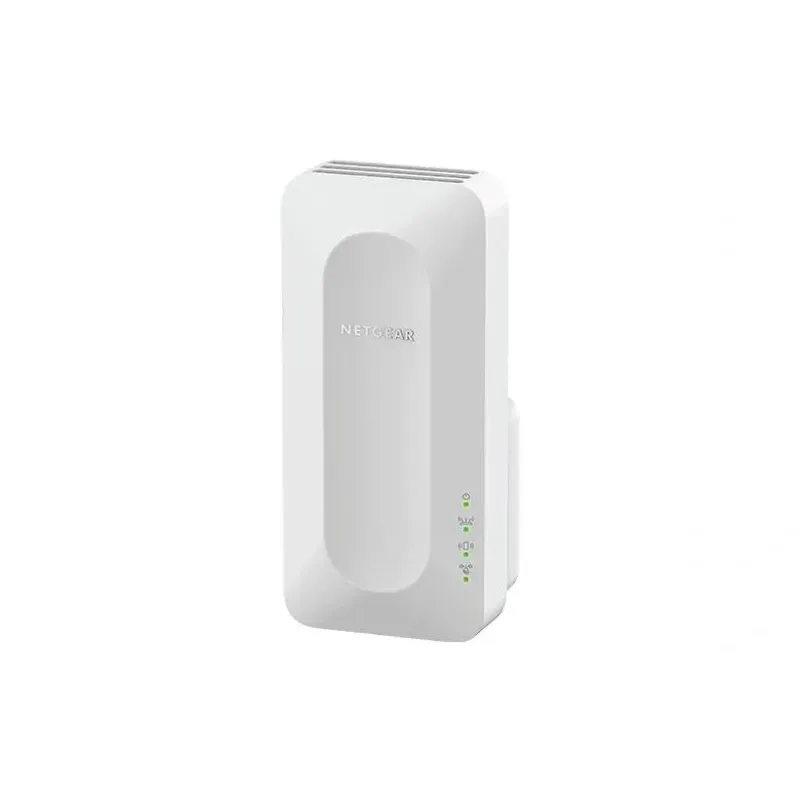
NETGEAR sells plug-in extenders across WiFi generations. Compare exact model features and check whether mesh behavior suits your router.

TP-Link offers WiFi 6 and WiFi 5 extenders with different port and mesh features. Check hardware version and router compatibility before choosing.

A WiFi extender can carry a router's signal into a nearby weak-signal area. Start by checking compatibility, placement and whether a wireless repeater or wired access point fits your home.