Gearjury may earn a commission when you buy through a retailer link. Our editorial choices are based on cited evidence.
Guide
How to Hardwire a Dashcam to Your Car
Use the camera maker's compatible hardwire kit, confirm the vehicle's fuse arrangement and stop if airbags, high-voltage systems or warranty conditions make the route uncertain.
GGearjury editorial team · Updated 15 October 2026· 7 min
01
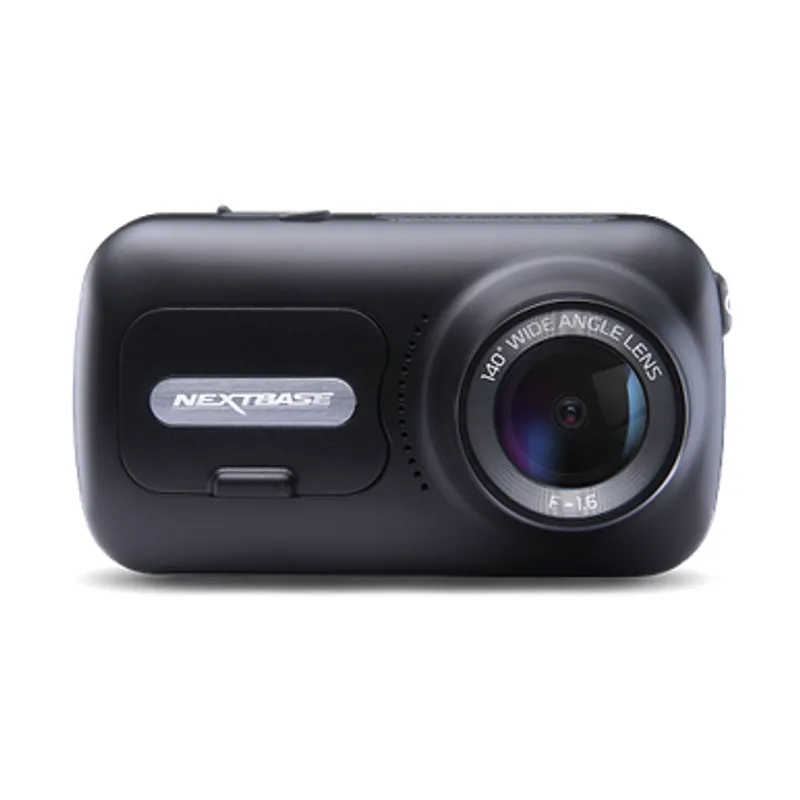
How to hardwire a Nextbase dashcam
Use the hardwire kit Nextbase lists for the exact camera and read both the kit instructions and the vehicle handbook. The general process is similar across brands, but connector type, low-voltage protection and parking-mode behaviour are model-specific.
02
Check the car before choosing a fuse
Identify the fuse box and confirm whether the vehicle uses conventional low-voltage circuits, stop-start management or an electrified drivetrain. Do not probe unfamiliar high-voltage components. If the handbook does not make the circuit clear, use a qualified installer.
03
Choose switched and permanent feeds correctly
A basic camera may need a switched supply only. Parking mode can require both ignition-switched and permanent feeds plus earth. Verify each circuit with suitable test equipment and follow the kit diagram rather than relying on fuse labels alone.
04
Fit the fuse taps and earth connection
Turn the vehicle off and follow the kit instructions for fuse-tap orientation, original fuse placement and the accessory fuse. Attach earth only to an approved chassis point. Never replace a circuit fuse with a higher rating to accommodate the camera.
05
Route the cable without crossing airbags
Run the lead around trim while keeping it away from curtain airbags, steering components, pedals and sharp edges. Avoid forcing trim clips. Leave enough slack at the camera for adjustment but secure loose cable.
06
Test shutdown and parking mode
Confirm normal recording with the ignition on, then check how the camera changes state after shutdown. Verify its time, file protection and low-voltage setting. Review a saved clip before considering the installation complete.
Common questions
Questions before you buy
How to hardwire Nextbase dashcam power?
Use the Nextbase kit specified for your model, follow its fuse-tap and earth instructions, and check the vehicle handbook. Professional fitting is appropriate when the circuit or airbag route is unclear.
Does hardwiring a dash cam drain the battery?
Parking mode uses power. A compatible kit with correctly configured low-voltage protection is designed to limit discharge, but battery condition and vehicle behaviour still matter.
Which fuse should I use for a dash cam?
Use a suitable circuit identified through the vehicle documentation and proper testing, while retaining the original circuit protection. Avoid safety-critical systems and do not guess from the label.
Can I hardwire a dash cam myself?
Only if you can identify and test the correct low-voltage circuits and route the cable safely. Otherwise, professional installation is the safer choice.
The 622GW has the strongest recording specification in this trio; the 522GW keeps the large touchscreen and polarising filter at 2K, while the 322GW covers the essentials.
A dual-camera kit is the direct choice when you want the road ahead and traffic behind in the same recording system. Check rear resolution and cable length, not just the headline front-camera specification.
The Nextbase 622GW is our balanced UK pick for its detailed recording, stabilisation and accessible touchscreen. Garmin Mini 3 suits a discreet fit, while VIOFO A329S covers the front and rear at high resolution.
Start with the coverage you need: a discreet front camera for the road ahead, or a front-and-rear system for evidence from both directions. Our guides then narrow the choice by installation, connectivity and brand.
Your privacy
We use cookies and similar technologies. Necessary ones keep the site working. With your permission we also use statistics cookies (Google Analytics and Microsoft Clarity) to understand which guides help readers. You can accept all, reject all or choose. You can change your choice at any time from "Cookie settings" at the bottom of every page. Cookie policy