Gearjury may earn a commission when you buy through a retailer link. Editorial conclusions are based on cited evidence.
Guide
What Dash Cam Is Best for Your Car and Driving?
The best choice is a reliable camera with enough coverage for your risks: front-only for simplicity, front-and-rear for broader evidence, or cabin coverage for professional driving.
GGearjury editorial team · Updated 15 October 2026· 6 min
01
What is a dash cam?
A dash cam is a compact camera designed to record the road from a vehicle, normally using loop recording so newer files replace older ordinary footage. Event files can be protected when the camera detects an impact or when you press a save button.
02
Choose front, rear or cabin coverage
Front-only is the least complicated. A rear camera adds context behind the car, while a cabin-facing channel can suit taxis or private-hire work but brings privacy and passenger-notice considerations.
03
Judge footage, not the resolution badge
Resolution is only one factor. Sensor performance, compression, exposure and lens angle affect whether a clip is useful, especially in poor light. Consult independent sample footage where available.
04
Decide whether you need parking mode
Parking modes may record continuously at a reduced rate or respond to motion and impact. Check the required hardwire kit, low-voltage protection and whether front and rear channels remain active.
05
Check storage and file access
Use the supported capacity and endurance class. Wi-Fi can simplify transfers to a phone, but it does not necessarily provide internet access or cloud backup.
06
Plan the installation before buying
Check mount size, cable length, connector position and rear-camera routing. The camera must not obstruct the driver's view, and cables must stay clear of controls and airbags.
Common questions
Questions before you buy
What is a dash cam used for in a car?
It records journeys and can preserve clips around incidents. Depending on the model, it may also record behind the vehicle, inside the cabin or while parked.
What dash cam is best for motorway driving?
Prioritise dependable recording, clear moving footage, simple event saving and enough storage for long journeys. Rear coverage can add useful context.
Is Wi-Fi necessary on a dash cam?
No. It makes phone transfers and settings easier, but footage can usually be accessed from the memory card or camera screen.
Should I buy a dash cam with a screen?
A screen helps alignment and playback, but adds size. A screenless camera can be discreet if its app and status indicators are dependable.
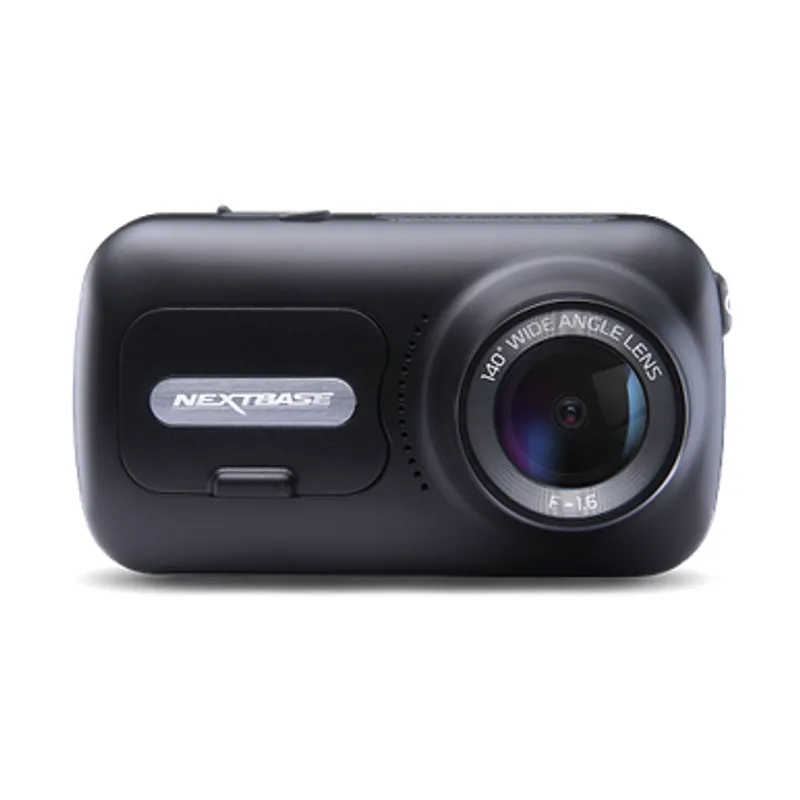
The Nextbase 622GW is our balanced UK pick for its detailed recording, stabilisation and accessible touchscreen. Garmin Mini 3 suits a discreet fit, while VIOFO A329S covers the front and rear at high resolution.
A dual-camera kit is the direct choice when you want the road ahead and traffic behind in the same recording system. Check rear resolution and cable length, not just the headline front-camera specification.
The 622GW has the strongest recording specification in this trio; the 522GW keeps the large touchscreen and polarising filter at 2K, while the 322GW covers the essentials.
Start with the coverage you need: a discreet front camera for the road ahead, or a front-and-rear system for evidence from both directions. Our guides then narrow the choice by installation, connectivity and brand.
Your privacy
We use cookies and similar technologies. Necessary ones keep the site working. With your permission we also use statistics cookies (Google Analytics and Microsoft Clarity) to understand which guides help readers. You can accept all, reject all or choose. You can change your choice at any time from "Cookie settings" at the bottom of every page. Cookie policy