Independent buying guidance · US editionHow we work
Gearjury
All categories
All categories
Best picksGood Meat Thermometers for Every Kind of Cook
Best picksBest WiFi Extenders: Which Range Extender Should You Buy?
Best picksBest Dash Cams for Cars in 2026
Best picksBest Radar Detectors for Cars: Models Compared
Best picksGood Winter Gloves for Cold Weather: Five Useful Picks
Best picksBest Headlamps: Six Lights Compared for Different Uses
Best picksTop 10 Best Battery-Powered Weed Eaters for Different Yards
Best picksBest Portable Air Coolers for Patios, Workshops and Small Spaces (2026)
Best picksBest Air Purifier for Bedroom in the US: Quiet Models Compared
United StatesEnglish

Category hub

be quiet! Air Cooler: Choose a Compatible CPU Cooler

The be quiet! name is styled with punctuation and refers here to PC cooling products. Check your processor socket and case before choosing a CPU cooler.

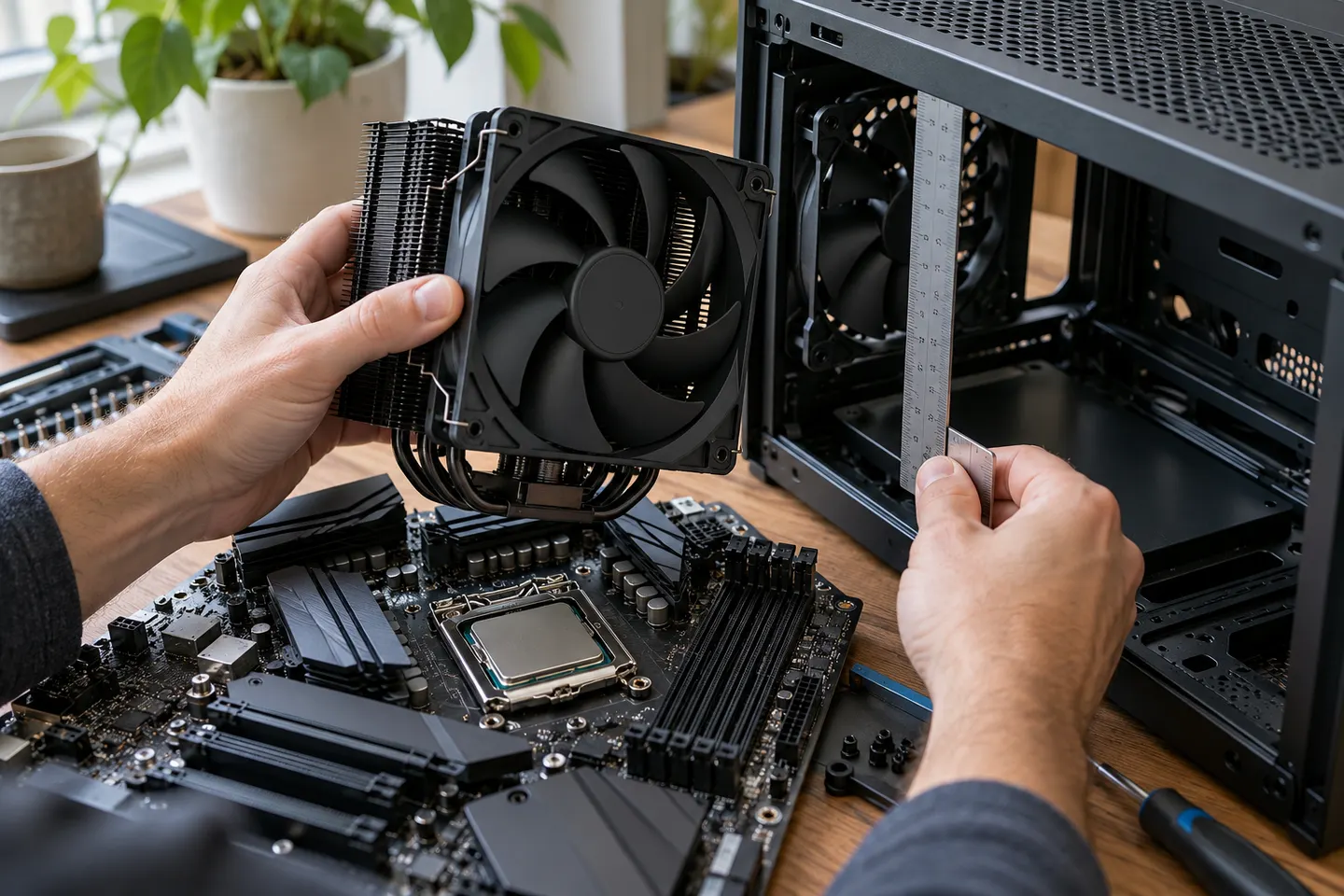
A be quiet! air cooler usually refers to a PC component that removes heat from a processor, rather than a portable appliance for a room. The brand styles its name “be quiet!”; search results may omit punctuation. Identify the exact CPU cooler model before checking compatibility and acoustic specifications.

be quiet! Air Cooler: Choose a Compatible CPU Cooler

Common questions

Questions before you buy

Is a be quiet! air cooler for a room?

The brand's air coolers are PC components designed for computer hardware. A CPU cooler is not a room air-cooling appliance.

How do I check be quiet! CPU cooler compatibility?

Use the model's official compatibility information and confirm your processor socket, motherboard clearance and case dimensions.

Will a large CPU air cooler fit every case?

No. Compare the cooler height and width with the case's published clearance, and check nearby memory or motherboard components.

Are be quiet! air coolers silent?

Noise depends on the product, fan speed and installation. Review the manufacturer's acoustic data and conditions rather than assuming silent operation.