Independent buying guidance · US editionHow we work
Gearjury
All categories
All categories
Best picksGood Meat Thermometers for Every Kind of Cook
Best picksBest WiFi Extenders: Which Range Extender Should You Buy?
Best picksBest Dash Cams for Cars in 2026
Best picksBest Radar Detectors for Cars: Models Compared
Best picksGood Winter Gloves for Cold Weather: Five Useful Picks
Best picksBest Headlamps: Six Lights Compared for Different Uses
Best picksTop 10 Best Battery-Powered Weed Eaters for Different Yards
Best picksBest Portable Air Coolers for Patios, Workshops and Small Spaces (2026)
Best picksBest Air Purifier for Bedroom in the US: Quiet Models Compared
United StatesEnglish

Gearjury may earn a commission when you buy through a retailer link. Our editorial choices remain independent.

Best picks

Best Dashcam Apps for iPhone: Five Compatible Cameras

Garmin Dash Cam Live is the clearest all-round choice when remote viewing matters. VIOFO A329S 2CH is stronger for fast local clip transfer without making cloud service the center of the experience.

Quick answer

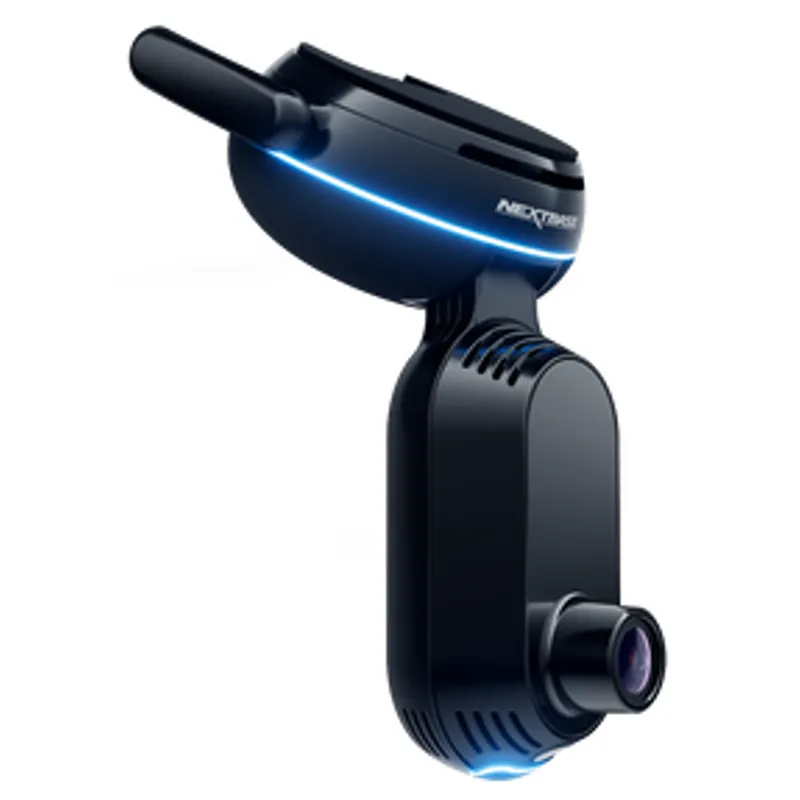
The best dashcam app for iPhone depends on the connection you need. Garmin Dash Cam Live leads for LTE remote features, Nextbase iQ suits security alerts, BlackVue DR970X-2CH LTE Plus II offers a mature cloud system, Thinkware U3000 covers parking notifications, and VIOFO A329S 2CH favors direct local transfers.

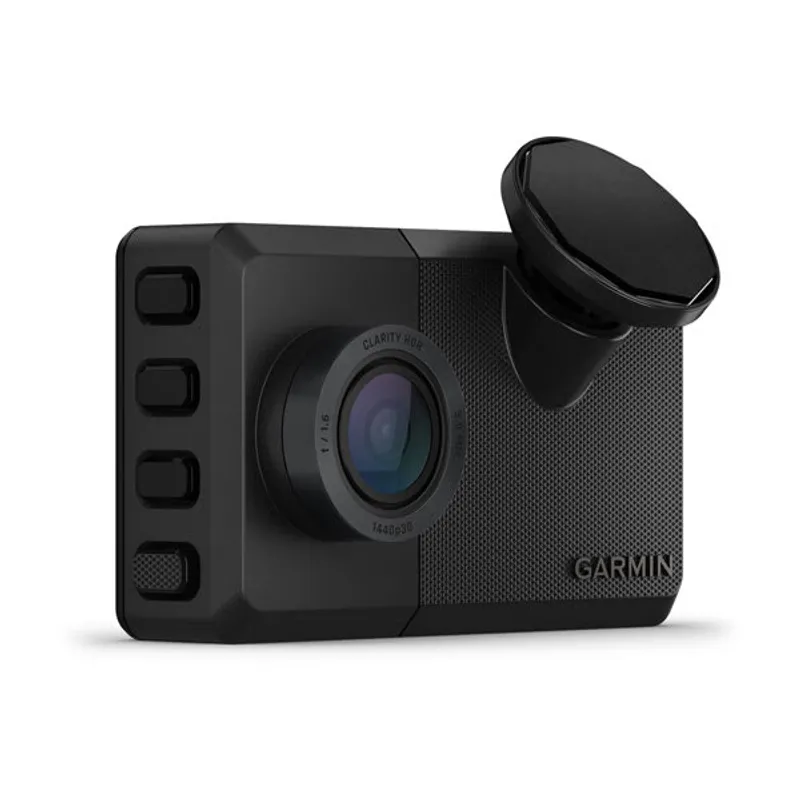
01Garmin Dash Cam LiveOfficial manufacturer image

Best for straightforward remote viewing

Garmin Dash Cam Live

  • Garmin lists remote Live View, location tracking and theft alerts through the Garmin Drive app with an active LTE plan
  • The camera records at 1440p with a 140-degree field of view

Drawback: Remote LTE functions require an active subscription and coverage.

Check price on AmazonSponsored link · no live price shown
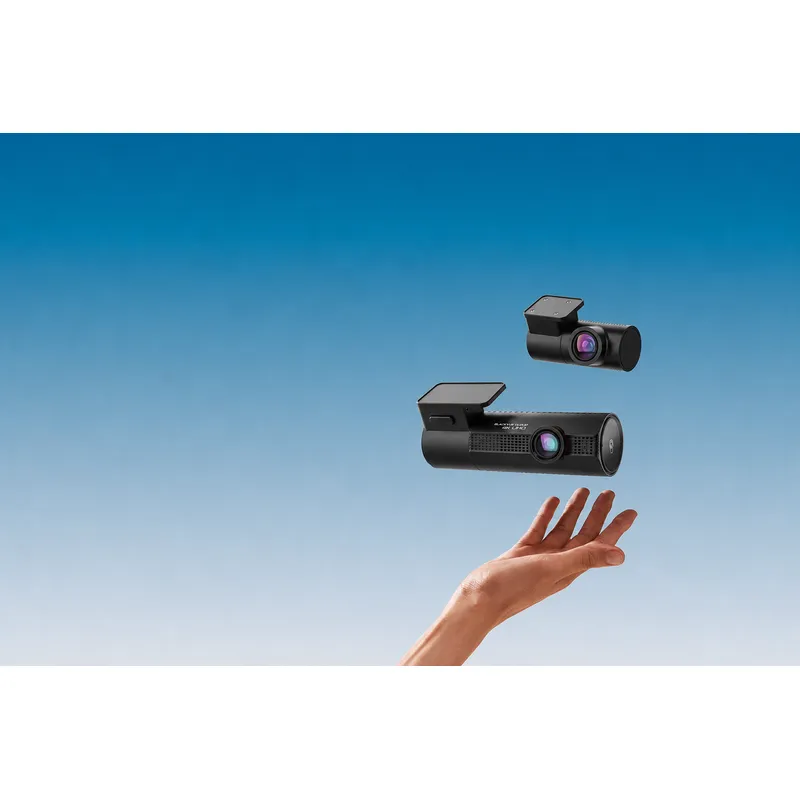
03BlackVue DR970X-2CH LTE Plus IIOfficial manufacturer image

Best for cloud-focused front and rear coverage

BlackVue DR970X-2CH LTE Plus II

  • BlackVue documents remote Live View, video playback, location and push notifications through its cloud service
  • The official specification lists iOS 13 or later support

Drawback: Cloud setup and cellular service are more involved than a local Wi-Fi connection.

Check price on AmazonSponsored link · no live price shown
04Thinkware U3000Official manufacturer image

Best for parking-mode notifications

Thinkware U3000

  • Thinkware Dash Cam Link supports viewing clips and changing settings on iPhone
  • Thinkware Connected adds remote live view and impact notifications when the camera has internet access

Drawback: Remote features require a separate internet connection, and the setup phone cannot simultaneously provide that hotspot.

Check price on AmazonSponsored link · no live price shown
05VIOFO A329S 2CHOfficial manufacturer image

Best for fast local clip transfers

VIOFO A329S 2CH

  • The VIOFO app offers live view, playback, downloads, settings and firmware updates
  • VIOFO specifies front 4K at 60 fps and a 2K rear camera

Drawback: Its app experience is centered on a nearby Wi-Fi or cable connection rather than built-in cellular access.

Check price on AmazonSponsored link · no live price shown

Compare them side by side

Garmin Dash Cam LiveOfficial manufacturer imageGarmin Dash Cam LiveNextbase iQ Smart Dash Cam 4KOfficial manufacturer imageNextbase iQ Smart Dash Cam 4KBlackVue DR970X-2CH LTE Plus IIOfficial manufacturer imageBlackVue DR970X-2CH LTE Plus IIThinkware U3000Official manufacturer imageThinkware U3000VIOFO A329S 2CHOfficial manufacturer imageVIOFO A329S 2CH
iPhone appGarmin DriveNextbase iQBlackVueDash Cam Link / ConnectedVIOFO
Remote live viewLTE planConnected featureCloud connectionInternet connection—
Local clip accessWi-FiAppWi-FiDual-band Wi-FiWi-Fi or compatible USB cable
Camera layoutFrontFront and cabin; rear optionalFront and rearFront; rear kit availableFront and rear
Best fitSimple LTE accessSecurity alertsCloud ecosystemParking monitoringLocal transfers
Check price on AmazonCheck price on AmazonCheck price on AmazonCheck price on AmazonCheck price on Amazon

Common questions

Questions before you buy

What is the best dashcam app for iPhone?

Garmin Drive paired with Garmin Dash Cam Live is the most approachable option here for local clip management plus LTE remote features. The best choice changes if you prioritize parking alerts, front-and-rear video or subscription-free local access.

Can an iPhone work as a dashcam without separate hardware?

Camera apps can record from an iPhone, but a dedicated dash cam is designed for automatic startup, loop recording, heat exposure and a fixed road view. Using a phone also consumes power and ties up the device while driving.

Do dashcam apps need Wi-Fi?

Most cameras create a local Wi-Fi network for setup and clip transfer. Viewing a parked car from elsewhere needs the camera to have an internet path, such as built-in LTE or a supported hotspot.

Can a dashcam app show live video when I am away from the car?

Only on supported connected cameras with continuous power, internet service and any required plan. A standard local Wi-Fi connection works only when the phone is close to the camera.

Why does my iPhone lose internet while connected to a dashcam?

Many dash cams create a private Wi-Fi network that has no internet access. The connection is used to communicate with the camera, so iOS may warn that the network is offline.

Sources and how we chose