Gearjury may earn a commission from qualifying purchases made through retailer links.
Guide
What Is a WiFi Booster and How Does It Work?
A WiFi booster is a broad term for equipment that improves coverage, commonly a range extender that receives and retransmits a router signal. Its position and backhaul quality shape the result.
GGearjury editorial team · Updated October 18, 2026· 5 min
01
What does WiFi booster mean?
Booster is an informal umbrella term. It may refer to a range extender, a mesh node or an access point, although each connects to the router differently. Check the product type and connection method rather than relying on the word alone.
02
How does a range extender work?
A range extender receives an existing WiFi signal and rebroadcasts it so devices farther away can connect. The extender needs a usable signal from the router; if its own link is weak, the extended network also has limited capacity.
03
Where should you put a booster?
Choose a point between the router and the dead zone where the router signal is still stable. Use the manufacturer setup indicator or app, then check the rooms you care about; an outlet in the dead zone is usually too far away.
04
Does a booster make internet faster?
It can improve connectivity in a weak-signal area, but it does not increase the speed supplied by your internet plan. A wireless extender also shares airtime and relies on its router connection, so placement and interference matter.
05
Extender or mesh: what is the difference?
A basic extender rebroadcasts a router network, while a mesh system coordinates multiple nodes under a managed network. Mesh can simplify roaming across a larger home, but nodes need suitable placement and compatible features.
06
When is a wired access point better?
If you can run Ethernet to the weak-signal area, an access point avoids using WiFi for the router-to-node backhaul. It can suit a fixed room or outbuilding, subject to the cabling route.
Common questions
Questions before you buy
Is a WiFi booster the same as a WiFi extender?
People often use the terms interchangeably, but booster can also mean mesh or access-point equipment. Check whether the device repeats WiFi wirelessly, joins a mesh system or connects by Ethernet.
Does a WiFi booster need to connect to the router?
Yes. A wireless extender must receive a usable signal from the router, while an access point can use a wired Ethernet connection.
Should a WiFi booster use the same network name?
Some extenders let you reuse the router network name, while others create a separate one. Follow setup instructions and consider how your clients roam between access points.
Can a WiFi booster work through walls?
WiFi can pass through some building materials, but walls and floors reduce signal depending on material and layout. Place the device where the router link remains usable.
A WiFi extender can carry a router's signal into a nearby weak-signal area. Start by checking compatibility, placement and whether a wireless repeater or wired access point fits your home.
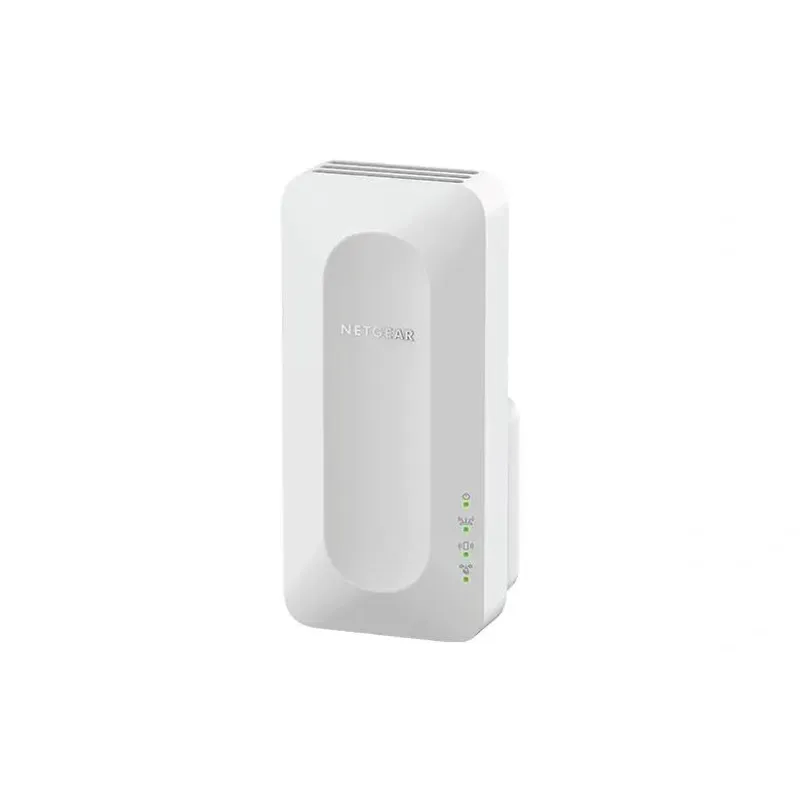
For a versatile WiFi 6 choice, consider TP-Link RE705X, which pairs dual-band WiFi 6 with a Gigabit Ethernet port. NETGEAR EAX15 suits an existing NETGEAR mesh setup, while TP-Link RE550 and NETGEAR EX6120 offer different WiFi 5 feature sets.
TP-Link offers WiFi 6 and WiFi 5 extenders with different port and mesh features. Check hardware version and router compatibility before choosing.
Your privacy
We use cookies and similar technologies. Necessary ones keep the site working. With your permission we also use statistics cookies (Google Analytics and Microsoft Clarity) to understand which guides help readers. You can accept all, reject all or choose. You can change your choice at any time from "Cookie settings" at the bottom of every page. Cookie policy