Independent buying guidance · UK editionHow we work
Gearjury
All categories
All categories
Best picksBest Meat Thermometers in the UK for 2026
Best picksBest WiFi Extenders in the UK: Compare Five Practical Options
Best picksThe Best Dashcams in the UK for 2026
Best picksBest Air Purifiers in the UK for Different Rooms and Needs
United KingdomEnglish

Gearjury may earn a commission from qualifying retailer links.

Best picks

Best WiFi Extender Brands: Models Worth Comparing in the UK

TP-Link offers the broadest mix of current extender features in this shortlist. Belkin is worth considering only if you specifically need a documented legacy model and have checked its support status.

Quick answer

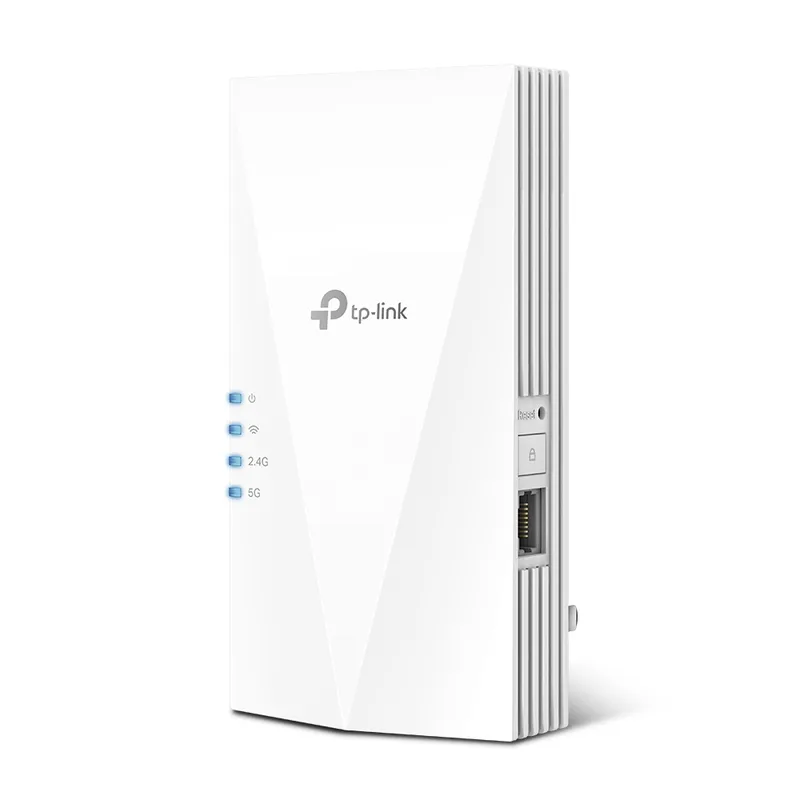
For most homes, start with the TP-Link RE705X: it combines Wi-Fi 6, dual-band operation, a Gigabit Ethernet port and Tether app setup. Choose the RE700X for its AX3000 class and EasyMesh support, or the RE550 if you want an AC1900 model with three external antennas. Belkin’s F9K1122 is a legacy N600 option; check current support before buying.

05

Best for a legacy Belkin dual-band model

Belkin N600 Dual-Band Plug-in Wi-Fi Range Extender F9K1122

  • Belkin documents simultaneous 300 Mbps rates on 2.4 GHz and 5 GHz.
  • Official comparison lists WPS and one Ethernet port.
  • Belkin provides a support page and user guides for the model.

Drawback: This is an older product; verify firmware and support status before relying on it for a new network.

06Belkin N300 Wi-Fi Range Extender F9K1015Official manufacturer image

Best for a basic legacy 2.4 GHz Belkin extender

Belkin N300 Wi-Fi Range Extender F9K1015

  • Belkin documents a single 2.4 GHz band with a rate up to 300 Mbps.
  • Official comparison lists WPS and a web-based setup interface.
  • Its simpler specification may suit a basic compatibility requirement.

Drawback: The single-band design and age make it a poor default for a new, high-demand setup.

Check price on Amazon UKSponsored link · no live price shown
Compare them side by side

TP-Link RE705XOfficial manufacturer imageTP-Link RE705XTP-Link RE700XOfficial manufacturer imageTP-Link RE700XTP-Link RE550Official manufacturer imageTP-Link RE550TP-Link RE605XOfficial manufacturer imageTP-Link RE605XBelkin N600 Dual-Band Plug-in Wi-Fi Range Extender F9K1122Belkin N300 Wi-Fi Range Extender F9K1015Official manufacturer imageBelkin N300 Wi-Fi Range Extender F9K1015
Wi-Fi generationWi-Fi 6Wi-Fi 6Wi-Fi 5Wi-Fi 6Wi-Fi 4Wi-Fi 4
BandsDual bandDual bandDual bandDual band2.4 and 5 GHz2.4 GHz only
Published class / link rateAX3000; 2402 + 574 MbpsAX3000; 2402 + 574 MbpsAC1900; 1300 + 600 MbpsAX1800; 1201 + 574 MbpsN600; 300 + 300 MbpsN300; up to 300 Mbps
EthernetGigabitGigabitGigabitGigabit1 portNone
CaveatMesh needs compatible routerMesh needs compatible routerWi-Fi 5Marked end of lifeLegacy modelLegacy, single band
Check price on Amazon UKCheck price on Amazon UKCheck price on Amazon UKCheck price on Amazon UKCheck price on Amazon UK

Common questions

Questions before you buy

Which brand makes the best WiFi extender?

For a current feature set in this shortlist, TP-Link has several Wi-Fi 6 options with app management and Ethernet. Choose by router compatibility, bands and support status rather than brand name alone.

Is TP-Link or Belkin better for a WiFi extender?

TP-Link’s listed RE705X and RE700X offer Wi-Fi 6 and mesh features with compatible routers. The Belkin F9K1122 and F9K1015 are legacy Wi-Fi 4 models, so check current support and suitability before purchase.

Do WiFi extenders work with any router?

Many extenders can connect to standard Wi-Fi routers, but mesh features may require compatible equipment. Check the exact model’s compatibility notes and your router’s security settings.

What is the difference between a WiFi extender and a booster?

The terms are commonly used for devices that repeat or extend an existing wireless network. Check whether a listing is a repeater, mesh node or wired access point, as setup and behaviour differ.

Are Belkin F9K1122 and F9K1015 still supported?

Belkin has official support pages for both models, but the documentation identifies older hardware. Check the latest firmware and support details on Belkin’s site before choosing one.

Sources and how we chose