 Official manufacturer image
Simple wireless installation
TP-Link RE705X
Check price on Amazon UKSponsored link · no live price shown

 Best picksBest Meat Thermometers in the UK for 2026
 Best picksBest WiFi Extenders in the UK: Compare Five Practical Options
 Best picksThe Best Dashcams in the UK for 2026
 Best picksBest Air Purifiers in the UK for Different Rooms and Needs
Gearjury may earn a commission from qualifying retailer links. This does not affect our editorial assessment.
Head to head
“Booster” is often a loose label, while “extender” usually describes a device that rebroadcasts a router's Wi-Fi. For a useful comparison, distinguish wireless repeaters from mesh nodes and powerline kits.
Official manufacturer image
Simple wireless installation
 Official manufacturer image
Rooms where wireless backhaul struggles
The verdict
The RE705X is a plug-in dual-band range extender with app setup and a Gigabit port.
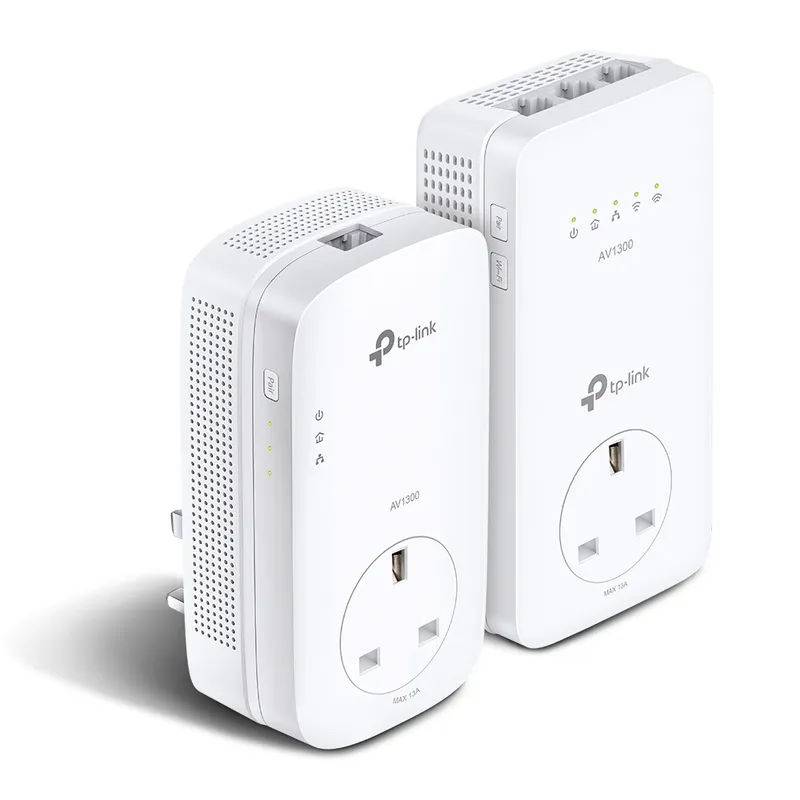
The TL-WPA8631P KIT uses HomePlug AV2 wiring to carry data to its Wi-Fi unit.
Its extender unit provides three Gigabit Ethernet ports, compared with one on RE705X.
| Official manufacturer imageTP-Link RE705X | Official manufacturer imageTP-Link TL-WPA8631P KIT | |
|---|---|---|
| Connection back to router | Wireless Wi-Fi | HomePlug AV2 powerline |
| Wi-Fi specification | AX3000 Wi-Fi 6 | AC1200 dual-band |
| Ethernet on coverage unit | 1 Gigabit port | 3 Gigabit ports |
| Extra power socket | — | Yes, passthrough |
| Best suited to | A spot with a usable router signal | A room reachable through suitable wiring |
| Check price on Amazon UK | Check price on Amazon UK |
Common questions
People often use the terms interchangeably. A repeater specifically receives and rebroadcasts Wi-Fi, while “booster” can refer to several kinds of coverage product.
A wireless extender shares radio capacity with its router link, so throughput can be lower than near the router. Placement, interference and the product's radio design all affect the result.
Mesh can coordinate multiple access points under one system, while a standalone extender is often simpler for a single dead zone. The better choice depends on coverage needs and router compatibility.
Consider powerline where wireless signals struggle through floors or walls and the electrical wiring provides a suitable path. Check the manufacturer's notes and test the sockets in your home.
Keep exploring

A WiFi extender can carry your router signal further, but placement and backhaul matter. Choose a plug-in repeater for a nearby dead zone, powerline WiFi for difficult layouts, or an outdoor-rated unit for a garden.
TP-Link RE315 is a practical starting point for a standard indoor dead zone. Consider a Wi-Fi 6 device for newer kit, outdoor-rated hardware for a garden, or powerline where a wireless hop struggles.

TP-Link sells plug-in repeaters and powerline kits. Check EasyMesh support, Ethernet needs and the exact UK hardware revision before buying.

Sky has different booster products for different broadband generations. Sky Max customers may use a Max Pod; check your account and hub-specific help before seeking a third-party extender.