Independent buying guidance · Australia editionHow we work
Gearjury
All categories
All categories
Best picksBest Dash Cam in Australia: Five Models Compared
Best picksBest Wi-Fi Extenders in Australia for Different Homes
Best picksThe Best Meat Thermometer for Every Kind of Cook
Best picksBest Portable Air Coolers to Consider in Australia (2026)
Best picksBest Headlamp Torches for Different Uses in 2026
Best picksBest Winter Gloves for Everyday Wear and Outdoor Use
Best picksBest Cordless String Trimmers for Australian Gardens (2026)
Best picksBest air purifier for bedroom in Australia: five models compared
AustraliaEnglish

Gearjury may earn a commission from qualifying retailer links.

Best picks

Best WiFi Boosters for a Telstra Modem: What to Choose

For Telstra Smart Modems, start with Telstra Smart Wi-Fi Booster compatibility. If you prefer third-party hardware, compare a wired access point or a verified repeater separately; those options do not inherit Telstra mesh features by default.

Quick answer

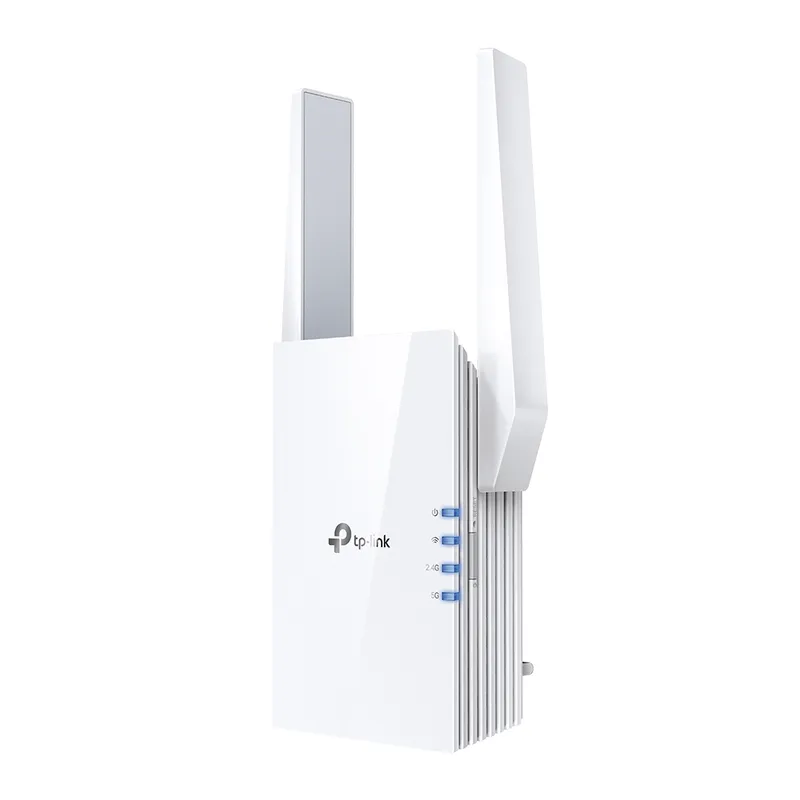
The Telstra Smart Wi-Fi Booster is the first option to investigate for a compatible Telstra Smart Modem because Telstra documents its modem compatibility and pairing process. For a wired backhaul, the TP-Link TL-WA850RE can operate in access-point mode, while the TP-Link RE505X offers a Gigabit Ethernet port and access-point mode. These alternatives are not Telstra-managed mesh nodes, so confirm compatibility and the network setup you want.

01Telstra Smart Wi-Fi BoosterOfficial manufacturer image

Best for a supported Telstra Smart Modem setup

Telstra Smart Wi-Fi Booster

  • Telstra documents compatible modem models and its setup process on the official support page.
  • Telstra says paired units use the same network name and password.
  • The support guide explains status lights and placement for troubleshooting.

Drawback: Compatibility is limited to supported Telstra Smart Modems, and the exact booster generation must match the instructions.

Check price on Amazon AUSponsored link · no live price shown

Compare them side by side

Telstra Smart Wi-Fi BoosterOfficial manufacturer imageTelstra Smart Wi-Fi BoosterTP-Link TL-WA850REOfficial manufacturer imageTP-Link TL-WA850RETP-Link RE505XOfficial manufacturer imageTP-Link RE505X
Best fitSupported Telstra modemBasic wired AP or repeaterDual-band third-party AP or repeater
WiFi—2.4 GHz 802.11nDual-band WiFi 6
Ethernet—10/100 MbpsGigabit
Mesh managementTelstra Smart Modem pairing—EasyMesh with compatible devices
Check price on Amazon AUCheck price on Amazon AUCheck price on Amazon AU

Common questions

Questions before you buy

What is the best WiFi booster for a Telstra modem?

For a compatible Telstra Smart Modem, begin with Telstra Smart Wi-Fi Booster and check the listed modem models and hardware generation. A third-party access point may be suitable for a wired setup, but it will not automatically join Telstra's managed mesh system.

Can I use a TP-Link extender with a Telstra modem?

A TP-Link extender may connect as a standard WiFi repeater or access point if the modem's settings are compatible. Confirm bands and security settings, and do not assume it will use Telstra's booster management features.

How many Telstra boosters can I use?

Telstra's support page says up to four Smart Wi-Fi Boosters can be connected to a Smart Modem. Check the current instructions for the modem and booster generation you own.

Is a wired access point better than a booster for Telstra?

Where Ethernet is available, an access point can avoid relying on a weak wireless backhaul. It is a separate network design choice, so check the device's access-point mode and plan how its WiFi name and roaming should work.

Sources and how we chose