Choose the rear-camera position
Sit in the normal driving position and identify a spot that does not obstruct your view. For a rear-window camera, keep the lens inside the wiper-swept area where possible and allow for the hatch or tailgate to move.

 Best picksBest Dash Cam in Australia: Five Models Compared
 Best picksBest Wi-Fi Extenders in Australia for Different Homes
 Best picksThe Best Meat Thermometer for Every Kind of Cook
 Best picksBest Headlamp Torches for Different Uses in 2026
 Best picksBest Portable Air Coolers to Consider in Australia (2026)
 Best picksBest Winter Gloves for Everyday Wear and Outdoor Use
 Best picksBest Cordless String Trimmers for Australian Gardens (2026)
 Best picksBest air purifier for bedroom in Australia: five models compared
Gearjury may earn a commission when you buy through a retailer link. Our guidance remains editorially independent.
Guide
Mount the rear camera inside the swept area of the glass, then route its cable without crossing curtain airbags or moving trim. Use a professional installer when safe cable routing is unclear.
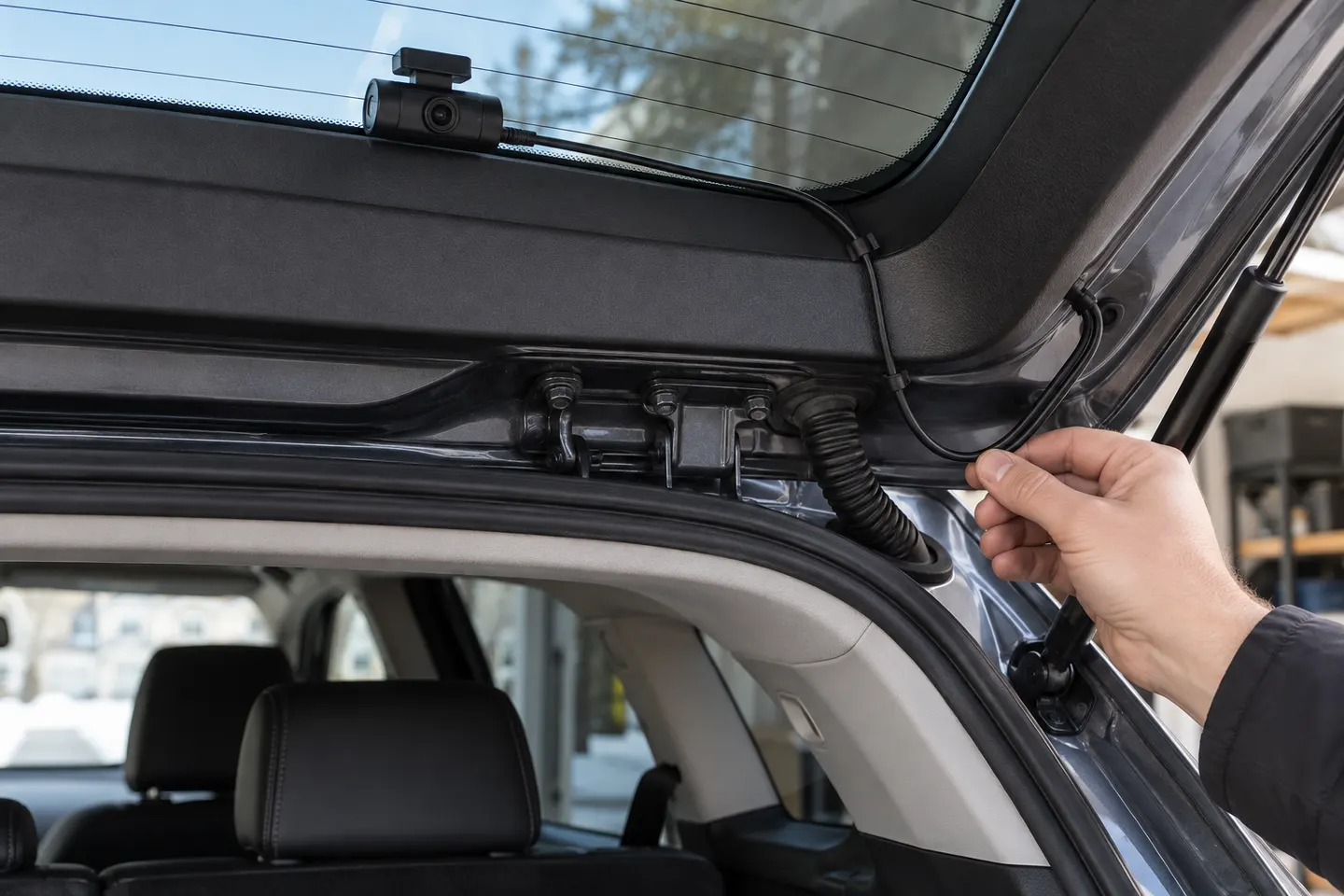
Sit in the normal driving position and identify a spot that does not obstruct your view. For a rear-window camera, keep the lens inside the wiper-swept area where possible and allow for the hatch or tailgate to move.
Clean and dry the mounting area. Power the system temporarily, hold the camera in place and use the app or screen to confirm a level horizon and an unobstructed view before applying adhesive.
Follow the vehicle and camera manuals. Do not run the cable across a curtain airbag or place it where it could hinder airbag deployment; if the safe path is uncertain, stop and use an automotive installer.
Work gently along the headliner edge and existing trim channels, leaving enough slack at a hatch hinge. Avoid sharp bends, exposed loops, seat rails and weather seals that could pinch the cable.
Insert the cable in the correct port with the system powered down. Secure spare cable where it cannot rattle, pull on a connector or become caught by luggage or moving panels.
Start the vehicle, confirm both channels appear, verify the date and orientation, then make a short recording and play it back. Open and close the hatch carefully to confirm the cable remains free.
Common questions
Usually high on the rear glass, centred where practical and within the wiper-cleared area, without blocking the driver's view.
Only along a route permitted by the vehicle manufacturer. Never cross or restrain a curtain airbag; professional installation is the safer option when the path is unclear.
Allow a protected service loop through the hatch movement area and keep the cable away from hinges and seals. Vehicle-specific trim can make professional fitting worthwhile.
Check the mounting orientation and the rear-camera rotation or flip setting in the app. Use the exact model manual because the option differs between systems.
Keep exploring
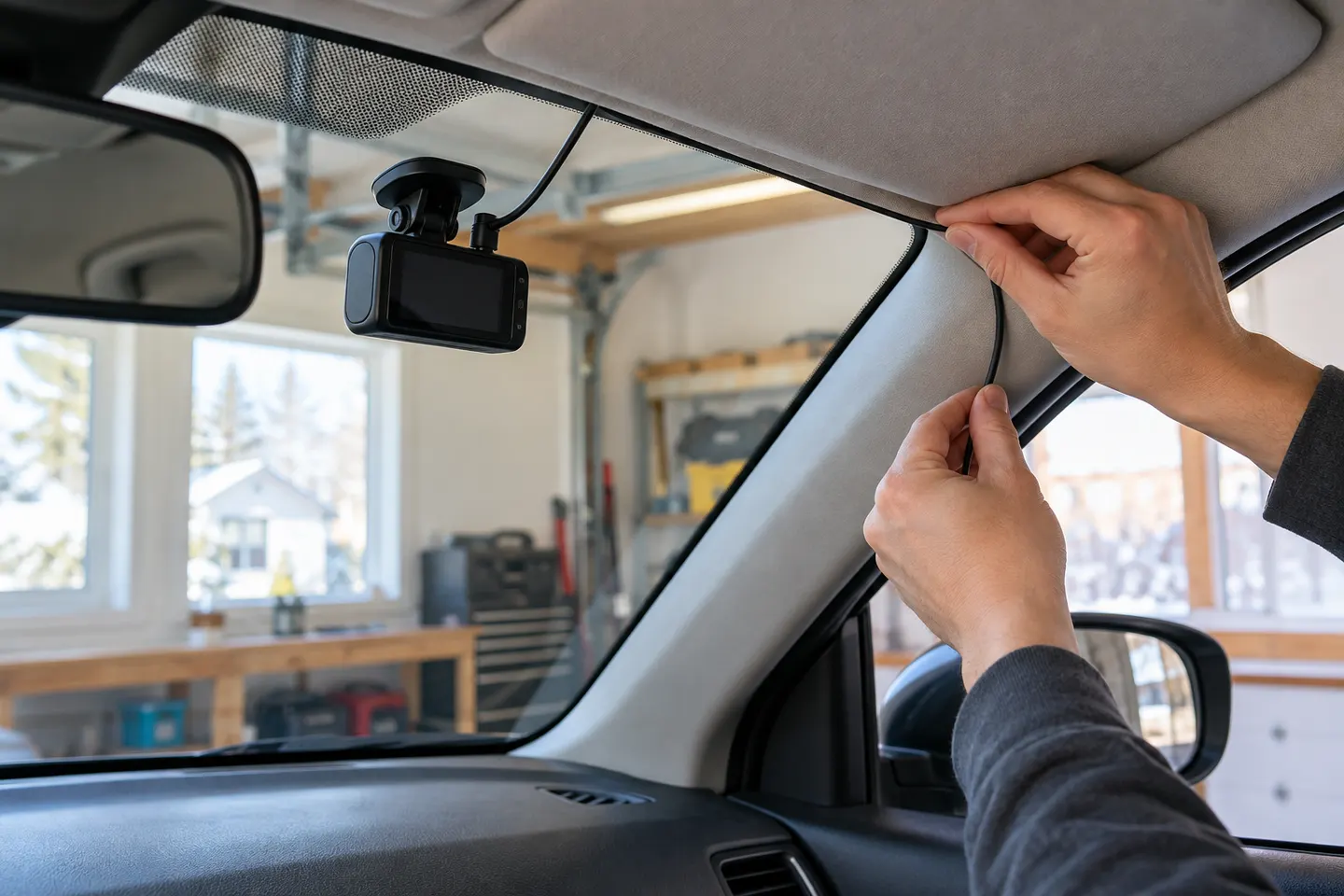
A plug-in installation suits basic driving recording; professional hardwiring is the safer route for neat cabling and parking mode. Keep every camera and cable clear of vision and airbags.

A two-channel system is the clearest choice when you want evidence from both directions. Prioritise rear-camera quality, cable length and an installation that keeps the driver's view clear.
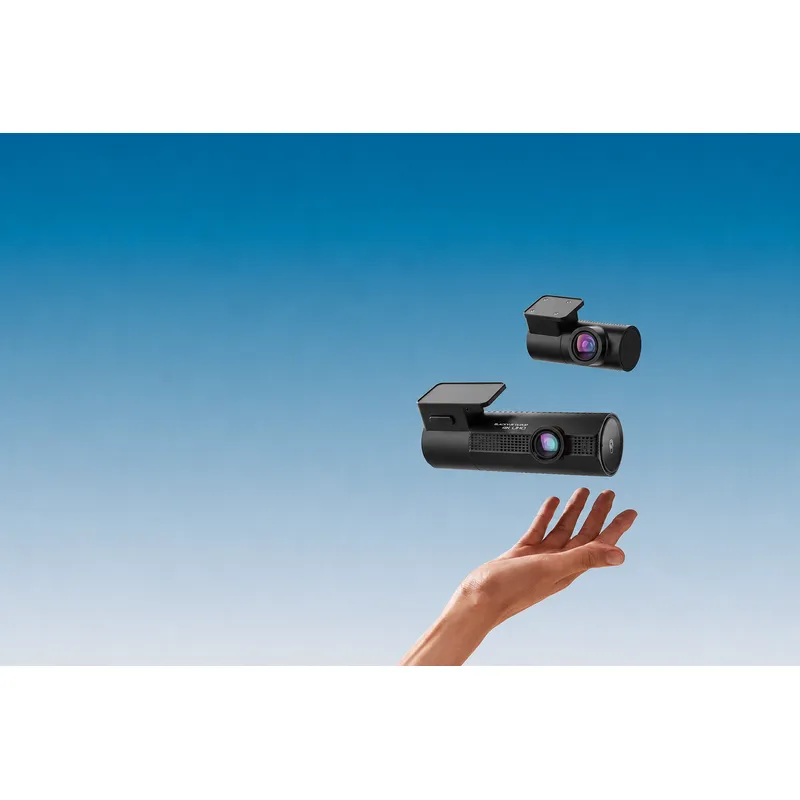
Choose the DR970X Plus for 4K front recording, the DR770X for Full HD dual-channel coverage, or the DR970X Box Plus for a separated recording unit.

Start with the coverage you need: front-only for simplicity, front-rear for broader evidence, or a dedicated motorcycle system. Then decide how you will power it.