Gearjury may earn a commission when you buy through a retailer link. Our editorial choices are based on cited evidence.
Guide
How to Mount a Dash Cam Safely
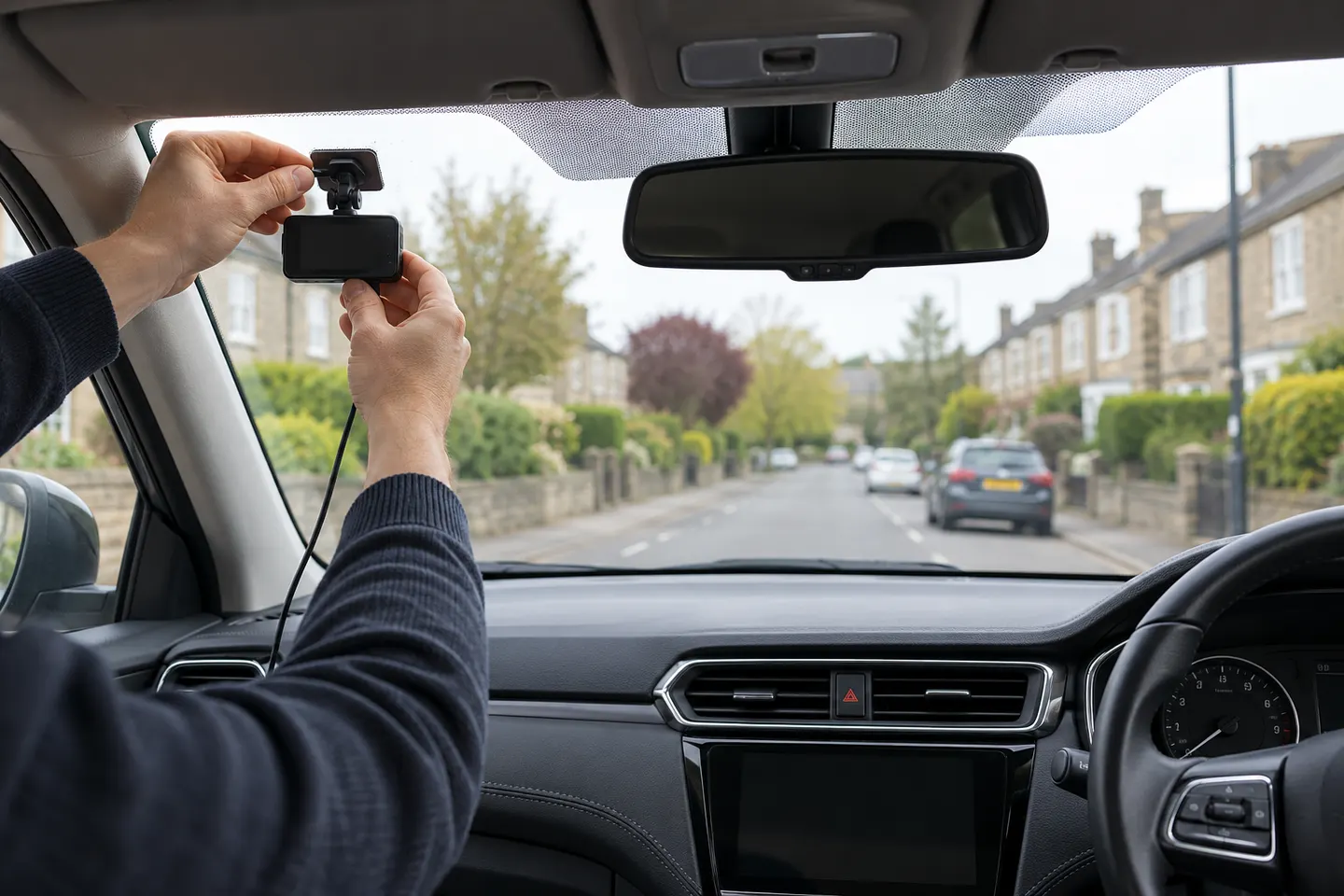
Mount the front camera high behind the rear-view mirror, within the wipers' swept area and outside your critical view. Route cables away from airbags and test the frame before final fixing.
GGearjury editorial team · Updated 15 October 2026· 6 min
01
Where should a dash cam be mounted?
Sit in the normal driving position and identify a high point behind or close to the rear-view mirror. The lens needs a clear view through the wipers' swept area, while the body and screen must not materially obstruct your view or cover vehicle sensors.
02
Clean the mounting area
Switch off the vehicle, clean the inside glass with a residue-free method approved for the windscreen and let it dry. Avoid textured frit, damaged tint and any area the vehicle or camera maker excludes.
03
Frame the road before fixing the mount
Power the camera temporarily and open its live view. Keep the horizon broadly level, include enough road to show context and minimise unnecessary bonnet or sky. Check that the mirror does not block removal of the memory card.
04
Attach an adhesive or suction mount
For adhesive mounts, align once and press for the period stated by the manufacturer; do not load it before the specified cure time. For suction mounts, inspect the cup, press it against smooth glass and close the locking lever fully.
05
How should the dash cam cable be routed?
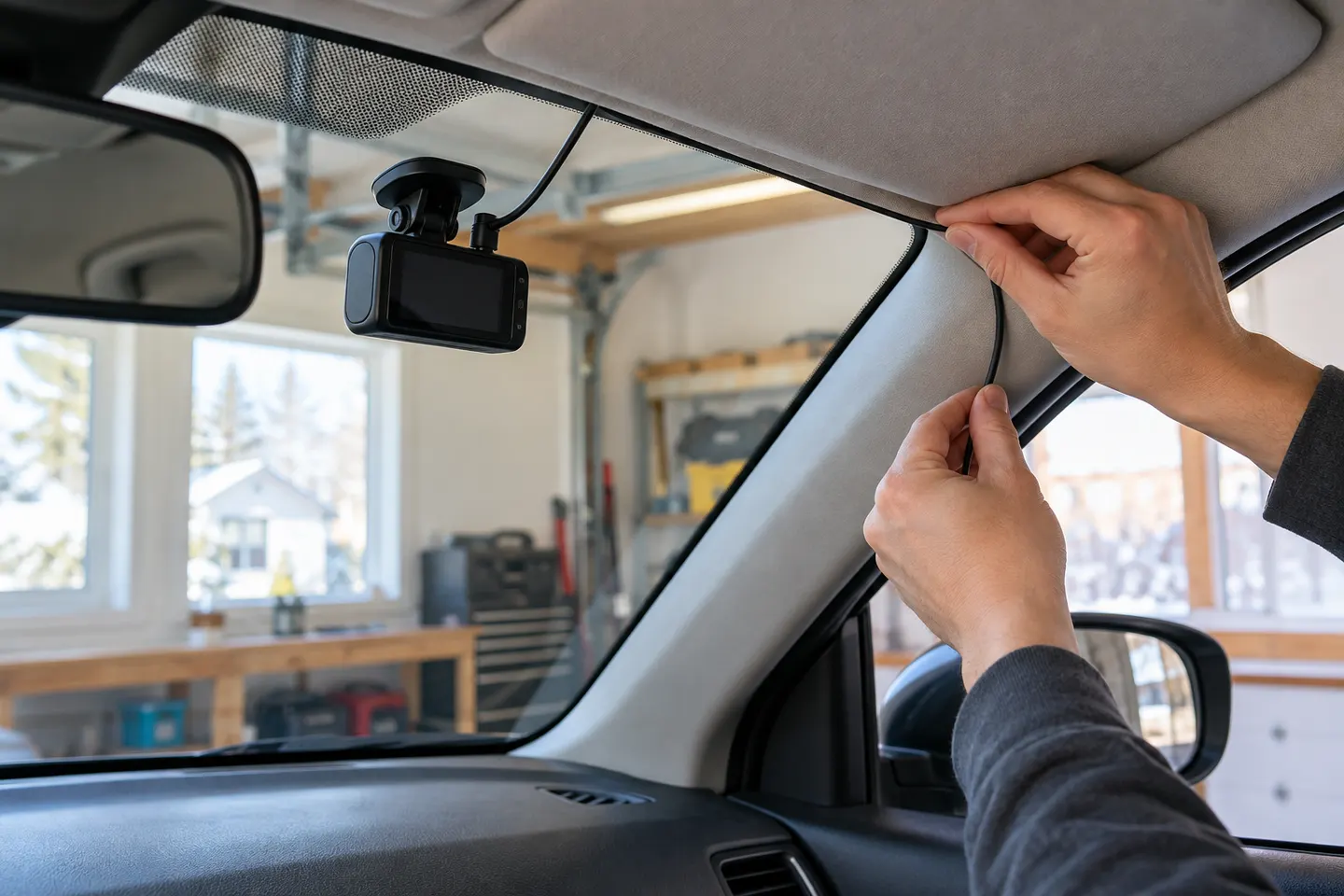
Run the lead along trim without stretching, pinching or crossing a side-curtain airbag's deployment path. BlackVue advises routing behind the airbag housing, not over it. Use a qualified installer when trim removal or fuse work is uncertain.
06
Test the view and saved recording
Start the vehicle, confirm normal recording and review an actual file rather than relying only on the preview. Check focus, reflections, timestamp, GPS status and rear-camera orientation, then recheck the mount after the first drives.
Common questions
Questions before you buy
Can I mount a dash cam anywhere on the windscreen?
No. It needs a lawful position that does not obstruct the driver's view and does not interfere with sensors, airbags or required labels.
Should a dash cam go behind the rear-view mirror?
That is often a discreet location, provided the lens has a clear swept view and the camera remains accessible without blocking factory equipment.
Can I route a dash cam wire across an A-pillar airbag?
No. Keep wiring away from the deployment path and follow the vehicle's service guidance. Use a professional installer if you cannot identify a safe route.
How long should I wait after attaching an adhesive dash cam mount?
Follow the mount manufacturer's stated cure time. Temperature, adhesive type and surface preparation affect when it can safely carry the camera.
Why does my dash cam footage show too much sky?
The lens is aimed too high. Adjust it downward while retaining enough horizon and traffic context, then review a saved clip.
A plug-in installation suits basic driving recording; professional hardwiring is the safer route for neat cabling and parking mode. Keep every camera and cable clear of vision and airbags.
A two-channel system is the clearest choice when you want evidence from both directions. Prioritise rear-camera quality, cable length and an installation that keeps the driver's view clear.
Start with the coverage you need: front-only for simplicity, front-rear for broader evidence, or a dedicated motorcycle system. Then decide how you will power it.
Your privacy
We use cookies and similar technologies. Necessary ones keep the site working. With your permission we also use statistics cookies (Google Analytics and Microsoft Clarity) to understand which guides help readers. You can accept all, reject all or choose. You can change your choice at any time from "Cookie settings" at the bottom of every page. Cookie policy