Gearjury may earn a commission from qualifying retailer links. This does not affect our editorial guidance.
Guide
How Does a TP-Link WiFi Extender Work with Your Router?
A TP-Link extender joins your existing wireless network and relays its signal to devices farther away. It needs a usable connection to the router, so placement and the model's setup method matter.
GGearjury editorial team · Updated 18 October 2026· 4 min
01
How does a TP-Link WiFi extender work?
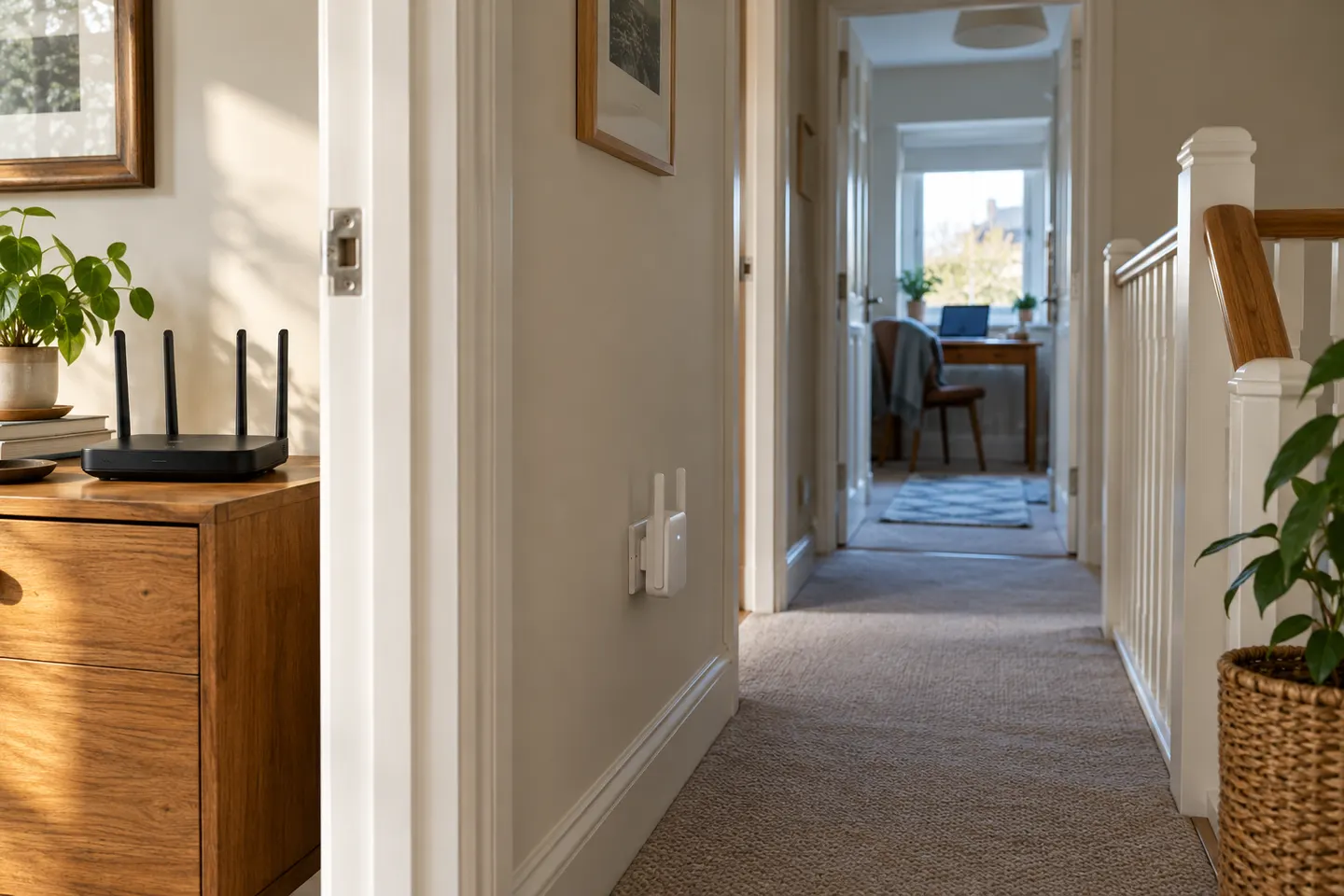
It connects wirelessly to your router and retransmits the network so devices can connect from a location the router alone may not reach well. Think of it as a relay: it can only pass on a signal it receives, so it cannot create a strong link from a place with no router coverage.
02
How the extender joins your network
Depending on the model, configure it through WPS, the TP-Link Tether app or a web management page. WPS pairs the router and extender using their buttons; app or browser setup lets you choose the host network and enter its password.
03
What happens to WiFi speed?
The extender's advertised link rate is a theoretical wireless rate, not a guarantee of the speed at your device. Distance, walls, interference, router capability and the extender's own radio design all affect the connection.
04
Where should a TP-Link extender go?
Put it between the router and the weak-signal room, at a point where the router connection is still reliable. TP-Link recommends checking the extender's signal indicator and avoiding nearby sources of interference.
05
Does it make one network or two?
That depends on the model and configuration. TP-Link's WPS instructions say some supported extenders use the host network's SSID and password; other models or settings can expose an extended network name.
06
What if the extender drops its connection?
Check whether the router itself is online, then look at the extender's signal and move it closer to the router if that link is weak. If settings have changed or pairing repeatedly fails, consult the model-specific manual before resetting it.
Common questions
Questions before you buy
Does a TP-Link extender need to be connected to the router?
Yes. It uses the router's WiFi as its source connection and relays it onwards; it does not provide an independent broadband connection.
Does a TP-Link WiFi extender slow down WiFi?
It can reduce usable throughput compared with a direct router connection, and the result depends on the model, band, signal quality and interference. Compare real needs and placement rather than treating the headline link rate as delivered speed.
Can a TP-Link extender work with any router?
Compatibility depends on the extender model and the router's wireless settings. Check the model specifications and setup guide, especially if you use an unusual security mode or a provider-managed gateway.
Why does my TP-Link extender show a weak signal?
The link back to the router may be too distant or obstructed. Move it nearer to the router, while keeping it on the route towards the room that needs better coverage.
A WiFi extender can carry your router signal further, but placement and backhaul matter. Choose a plug-in repeater for a nearby dead zone, powerline WiFi for difficult layouts, or an outdoor-rated unit for a garden.
TP-Link RE315 is a practical starting point for a standard indoor dead zone. Consider a Wi-Fi 6 device for newer kit, outdoor-rated hardware for a garden, or powerline where a wireless hop struggles.
Your privacy
We use cookies and similar technologies. Necessary ones keep the site working. With your permission we also use statistics cookies (Google Analytics and Microsoft Clarity) to understand which guides help readers. You can accept all, reject all or choose. You can change your choice at any time from "Cookie settings" at the bottom of every page. Cookie policy