Gearjury may receive a commission from qualifying purchases made through retailer links.
Guide
How to Keep a Dash Cam Recording When the Car Is Off
A dash cam can record after the ignition is switched off only when the camera supports parking mode and has a suitable power source. Battery protection and correct installation are essential.
GGearjury editorial team · Updated 15 October 2026· 7 min
01
Confirm that the dash cam has a real parking mode
A dash cam recording when the car is off needs software designed for parked operation. Depending on the model, it may save impact-triggered clips, record after detected movement or use a lower-frame-rate time-lapse mode.
02
Choose a power source that stays active
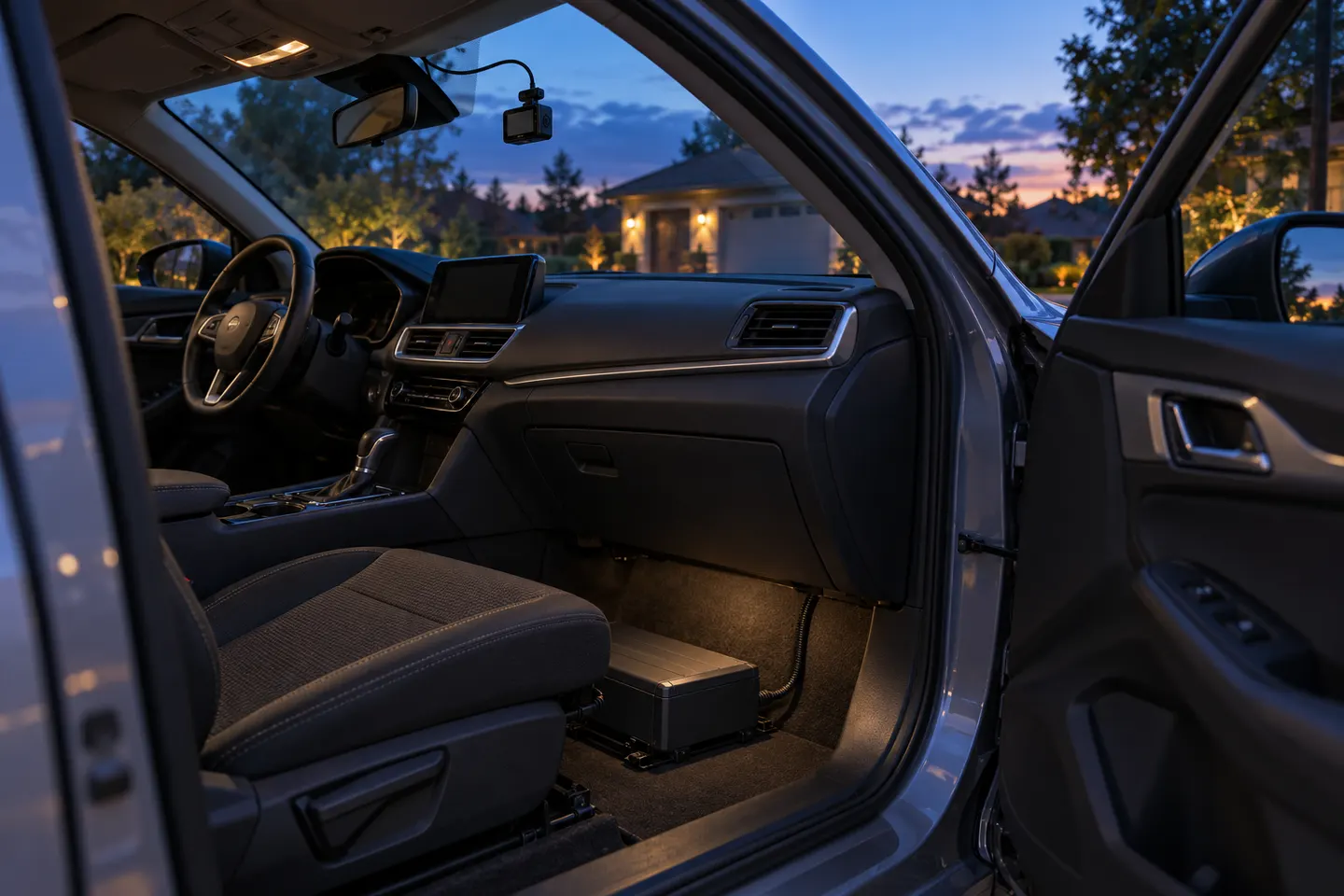
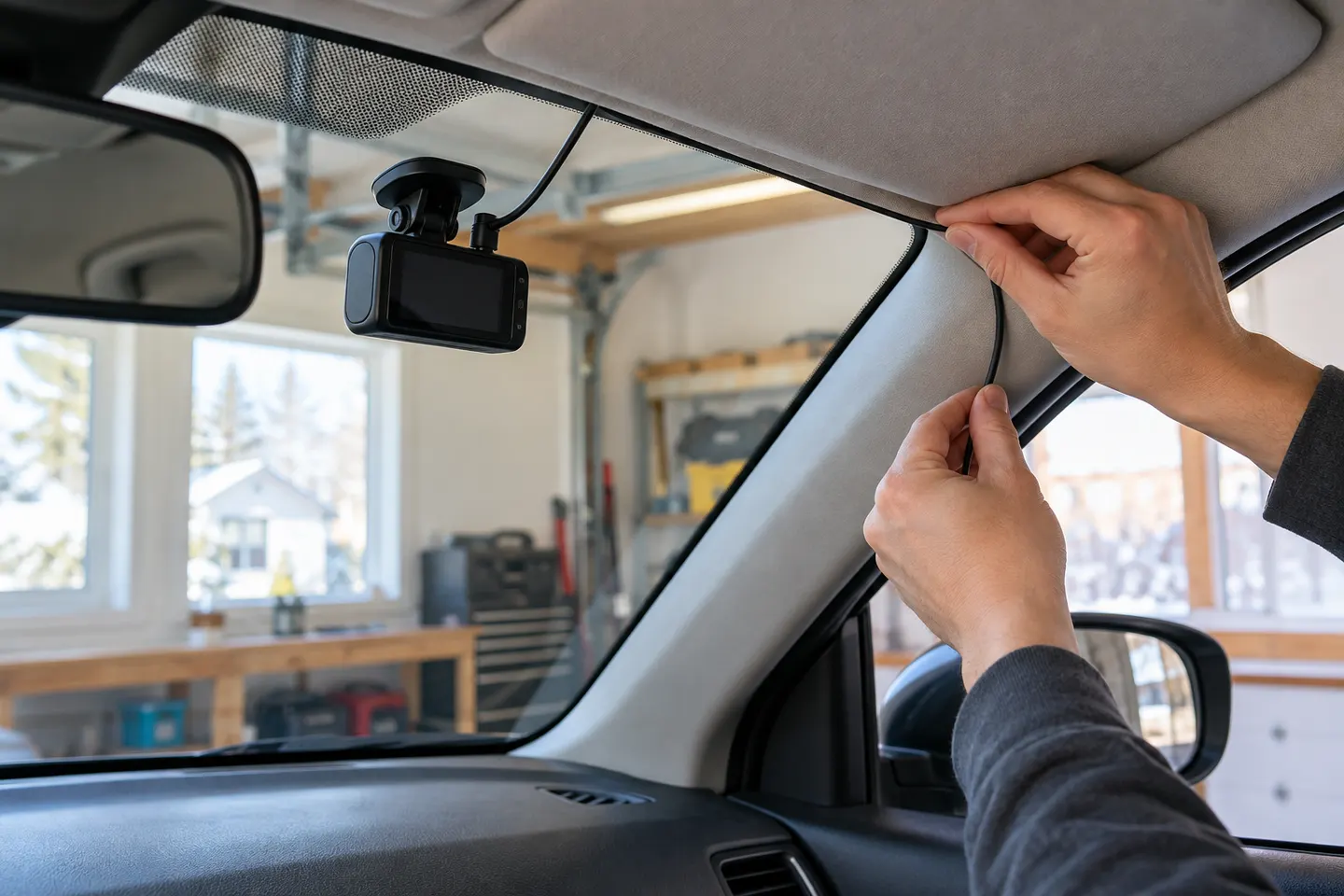
A switched accessory socket normally loses power with the ignition. Common alternatives are a compatible hardwire kit connected to constant and accessory circuits, or a dedicated dash cam battery pack installed to the maker's instructions.
03
Protect the vehicle battery
Use low-voltage cut-off and a timer where supported. The safe setting depends on the vehicle, battery condition, climate and camera load; follow the camera and vehicle guidance rather than copying a universal threshold.
04
Select the parking recording mode
Impact-only recording uses less storage and power but may miss events before a trigger. Motion detection captures more activity and more false alerts. Time lapse provides broader continuity without normal-speed detail.
05
Check the field of view while parked
Park in a typical location and review both channels. Reflections, dark glass, a sunshade or a rear demister pattern can affect what is visible, especially at night.
06
Test shutdown and saved clips
After installation, turn the vehicle off, wait for parking mode to engage and create a safe test event. Confirm the file appears in the expected folder and that the camera exits parking mode after restart.
Common questions
Questions before you buy
Does a dashcam record when parked?
Only if the model supports parking recording and continues to receive suitable power. A camera connected to a switched socket usually turns off with the vehicle.
Will parking mode drain my car battery?
It consumes power, but a compatible hardwire kit can stop recording at a configured voltage or time. Battery condition and installation still matter.
Can a dash cam record overnight?
Potentially, when power capacity, cut-off settings and the selected mode allow it. Actual duration varies, so check the camera after representative overnight use.
Is motion detection or impact detection better when parked?
Motion detection records more surrounding activity but creates more files. Impact detection is more selective, though it may not preserve the lead-up unless the camera buffers video.
Can I use a power bank for dash cam parking mode?
Use only a power solution approved for in-vehicle dash cam operation. Ordinary consumer power banks may not be designed for cabin temperatures, charging behaviour or unattended use.
A plug-in installation suits basic driving recording; professional hardwiring is the safer route for neat cabling and parking mode. Keep every camera and cable clear of vision and airbags.
A two-channel system is the clearest choice when you want evidence from both directions. Prioritise rear-camera quality, cable length and an installation that keeps the driver's view clear.
Start with the coverage you need: front-only for simplicity, front-rear for broader evidence, or a dedicated motorcycle system. Then decide how you will power it.
Your privacy
We use cookies and similar technologies. Necessary ones keep the site working. With your permission we also use statistics cookies (Google Analytics and Microsoft Clarity) to understand which guides help readers. You can accept all, reject all or choose. You can change your choice at any time from "Cookie settings" at the bottom of every page. Cookie policy