Gearjury may earn a commission from retailer links. This does not change our safety guidance.
Guide
How to Use a Dashcam Safely and Correctly
Mount it outside the driver's critical view, fit suitable storage and confirm that recording has started before every journey. Save an incident clip as soon as it is safe.
GGearjury editorial team · Updated 15 October 2026· 6 min
01
Choose a legal, useful camera position
Clean the glass and mount the camera high enough to capture the road without obstructing the driver's view. Keep it clear of mirrors, sensors and swept wiring routes; GOV.UK explains the windscreen zones used for roadworthiness checks.
02
Fit the correct memory card
Use the capacity and speed class specified by the camera maker. Format the card in the camera when instructed, and remember that loop recording will eventually overwrite ordinary clips.
03
Set the date, time and recording options
Correct time data makes footage easier to understand. Review clip length, audio, GPS, speed display, incident sensitivity and privacy choices instead of relying on factory defaults.
04
Confirm recording before you drive
Start the vehicle and check the camera's recording indicator. A powered screen or status light does not always mean that storage is working, so respond to card errors promptly.
05
Save and copy an incident clip
When safely parked, protect the relevant file from loop deletion and copy the original to another device. Do not edit the only copy if it may be required as evidence.
06
How to use Tesla Dashcam
Tesla's procedure depends on vehicle, region and software. Its owner manual directs drivers to use compatible USB storage, enable Dashcam in the vehicle controls and save footage manually or through supported save modes; consult the manual shown on your own car.
Common questions
Questions before you buy
How do I use a dashcam for the first time?
Install compatible storage, mount the camera without blocking your view, set the time and options, then confirm that a short test clip records and plays back.
How do I use Tesla Dashcam?
Use the USB storage and Dashcam controls described in the owner manual for your vehicle and software version. Tesla warns not to rely on automatic saving for every event.
Does a dashcam record automatically?
Many start when they receive power, but settings, storage faults and wiring affect operation. Check the recording indicator rather than assuming.
How do I stop dashcam footage being overwritten?
Use the camera's protect or emergency-save function when safe, then copy the original file to separate storage promptly.
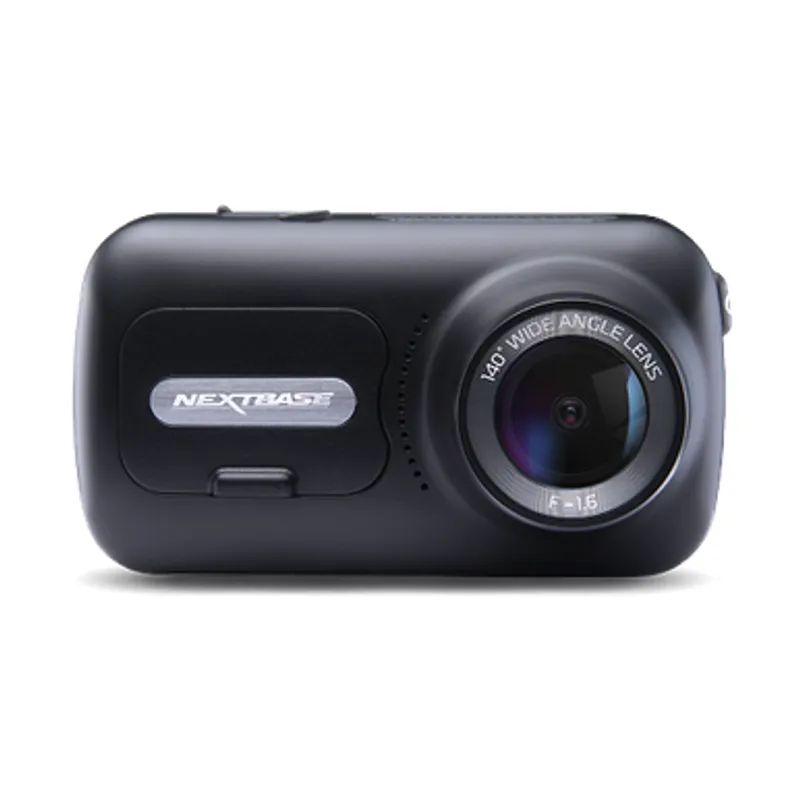
The Nextbase 622GW is our balanced UK pick for its detailed recording, stabilisation and accessible touchscreen. Garmin Mini 3 suits a discreet fit, while VIOFO A329S covers the front and rear at high resolution.
A dual-camera kit is the direct choice when you want the road ahead and traffic behind in the same recording system. Check rear resolution and cable length, not just the headline front-camera specification.
The 622GW has the strongest recording specification in this trio; the 522GW keeps the large touchscreen and polarising filter at 2K, while the 322GW covers the essentials.
Start with the coverage you need: a discreet front camera for the road ahead, or a front-and-rear system for evidence from both directions. Our guides then narrow the choice by installation, connectivity and brand.
Your privacy
We use cookies and similar technologies. Necessary ones keep the site working. With your permission we also use statistics cookies (Google Analytics and Microsoft Clarity) to understand which guides help readers. You can accept all, reject all or choose. You can change your choice at any time from "Cookie settings" at the bottom of every page. Cookie policy